Assets
The register of things the organisation looks after.
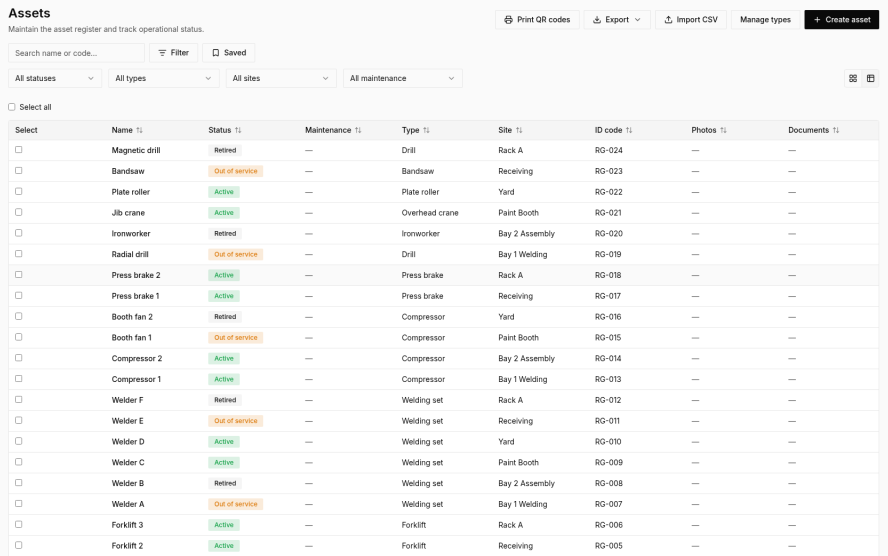
What it is
An asset is any item you want a history for: a vehicle, a machine, a tool, safety gear, a room, or a workspace. Each asset has a name, a type, a status, an optional site, an optional code, photos, and documents.
- Types are defined by the organisation. A type can have its own fields (text, number, date, yes/no, or a pick-list) and its own meters, such as kilometres, run hours, or a counter.
- Scan to open. The phone can scan a barcode and open the matching asset.
- Status is active, out of service, retired, or disposed.
- The asset page shows linked inspections, observations, and actions, plus a timeline of the meter.
Maintenance and readings
- Someone with permission can record a meter reading.
- A number question on an inspection can also write the reading when the check is completed, if that question is tied to a meter.
- Meters marked as one-way reject a reading that goes backwards.
- A maintenance program on an asset lists the preventive jobs, and whether each one is due by time (every 30 days) or by usage (every 250 hours).
- When a job becomes due, Syraxis can raise an action for it and tell the people who look after maintenance.
Phone and computer. Types, programs, and bulk import are managed on the computer. Readings can be entered on the phone, including offline.
Start with templates, inspections, and actions.
Free to start. No card needed. 14-day Pro trial when you create an organisation.