Trend TownPro
Charts and dashboards built from the records the other modules already hold.
What it is
Trend Town is the analytics layer: the workspace for looking at performance data over time to spot patterns, shifts, or recurring issues before they result in a major failure. It does not capture new field work. It counts and charts what has already been recorded: inspections, actions, observations, scheduled slots, investigations, contractor safety files, risk assessments, assets, announcements, and training.
Dashboards
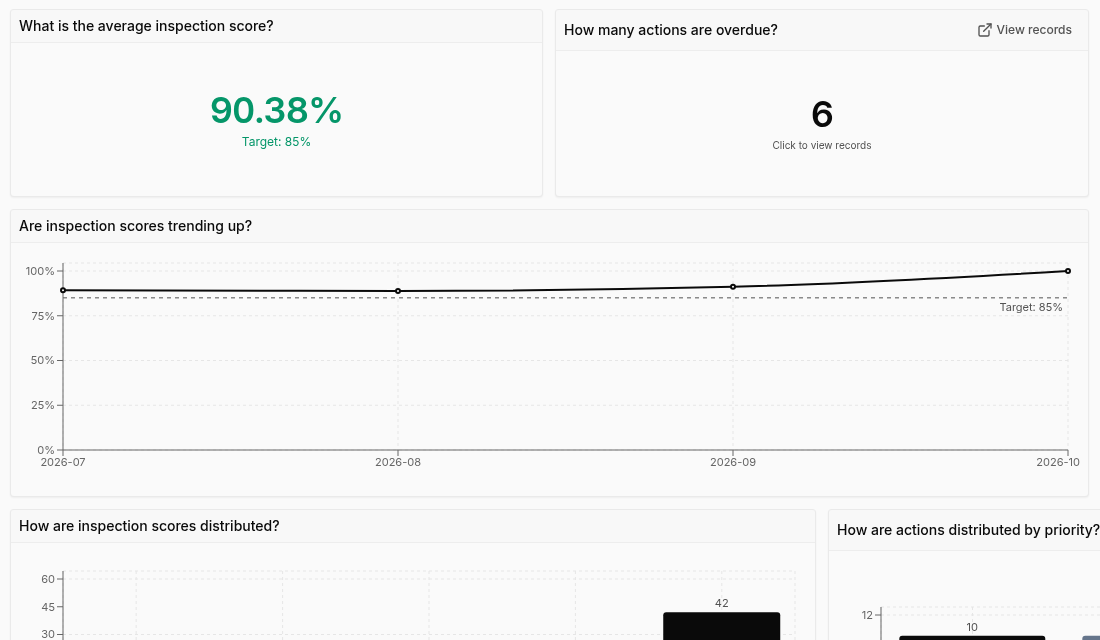
Each organisation starts with ready-made dashboards, for example operational health, safety incidents, contractor files, risk, asset activity, announcement engagement, and training completion. The ready-made boards are fixed. To change one, duplicate it and edit the copy, or create your own dashboard.
What you can look at
- Counts and trends over time, by site, status, person, or category
- Inspection scores, where a template has scores on its answer choices
- Overdue actions, missed scheduled work, and open high risks
- A lost-time incident rate, once monthly hours worked have been entered
- Training completion and overdue courses
Clicking a chart opens the matching list with the filters already set, so a number can be traced back to the records. Boards can be shared and exported to a spreadsheet or PDF.
Computer only.
Pro (or the 14-day Pro trial).
Start with templates, inspections, and actions.
Free to start. No card needed. 14-day Pro trial when you create an organisation.