Inspections
The filled-in check. This is where the field work is recorded.
What it is
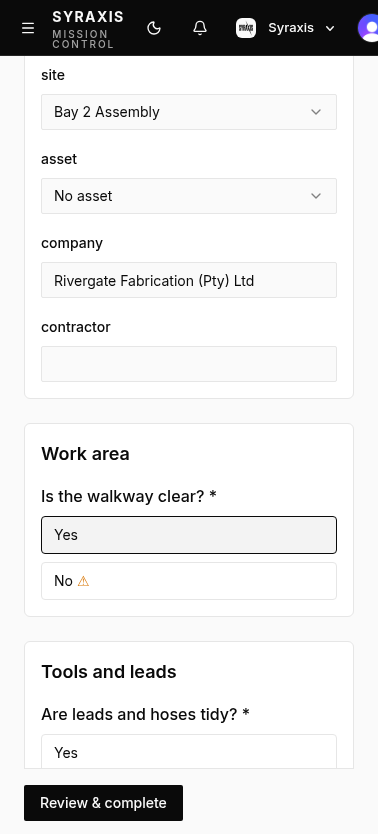
An inspection is one use of a template: a systematic examination, audit, or walk-through of a workplace, plant, machinery, article, or substance. It holds the answers, photos, notes, signatures, location, and the name of the person who did it. While it is in progress it is a draft. When it is submitted, Syraxis produces a report.
Works without a signal
On the phone, inspections are built to work without a signal. Answers and photos stay on the device and send when the connection is back.
A typical inspection
- Start from a template, from Home, from the inspections list, from a scheduled slot, or from a related observation, action, or investigation.
- Answer the questions. Required ones are marked.
- Add photos, a signature, a location, or a scanned code where the template asks for them.
- Review anything that was flagged and, if you want, raise an action from it before you submit.
Inspections can be scheduled for users. The user is notified when an inspection is due.
On the computer
The computer list is for oversight. Filter by status, site, template, contractor, person, date, flagged items, or score. Save those filters, export a spreadsheet, or download a zip of reports.
Mostly the phone, for doing the inspection where the work happens. The computer for reviewing, continuing a draft, and downloading reports.
Start with templates, inspections, and actions.
Free to start. No card needed. 14-day Pro trial when you create an organisation.