Investigations
The management workspace for a serious incident, not a quick field note.
What it is
An investigation is the place to work end-to-end through an incident, a near miss, an equipment failure, or a quality issue. It holds the story, the evidence, the related reports and checks, the root cause analysis, and the corrective tasks.
This module is used on the computer. There is no investigation screen on the phone. Someone on site can start an investigation from an observation; the rest of the work opens in the browser.
What the workspace holds
- What happened: title, description, date, location, type of incident, severity, and how urgent the follow-up is. Type of incident and severity are required, and the organisation can edit both lists.
- Evidence files, each tagged as people, position, parts, paper, or process.
- Links to observations and inspections, including the option to start a new inspection from the investigation.
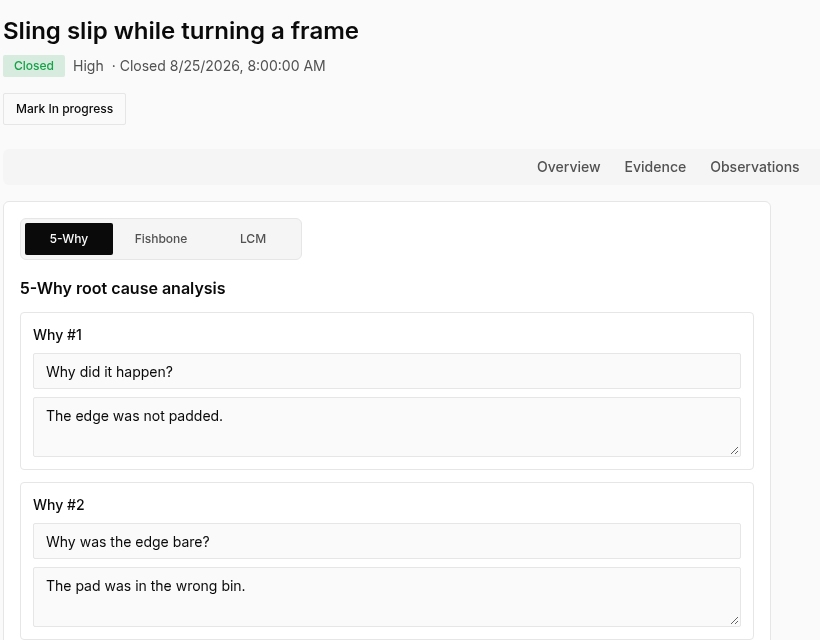
- Root cause analysis: choose five whys, a fishbone diagram, or a loss-causation chart. Switching method keeps the other drafts.
- A task for each root cause and each contributing factor, so nothing in the analysis is left without an owner.
- Optional record-keeping fields for reportable cases, fatalities, days away, and restricted duty. Rates are calculated in Trend Town, not on the investigation itself.
- A status path from new, to in progress, to under review, to closed. Access can be limited to named people.
Computer only.
Start with templates, inspections, and actions.
Free to start. No card needed. 14-day Pro trial when you create an organisation.