On this page
Invite contractors
You will invite a key contact to the contractor portal.
AdminSite ManagerAll plansContractors
What you'll need
- A contractor company (see Add a contractor company).
- The contact's email address.
Steps
- 1
Open Contractors and select the company.
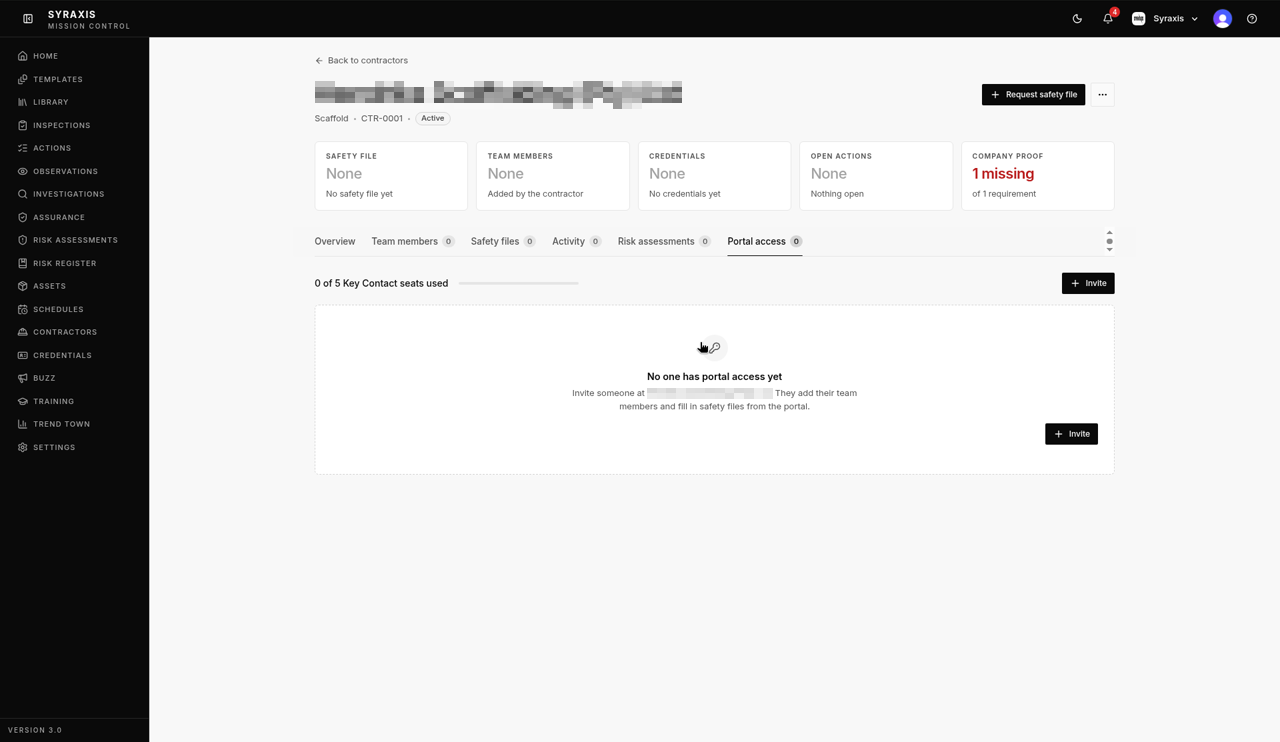 1
1 - 2
Open the Portal access tab.
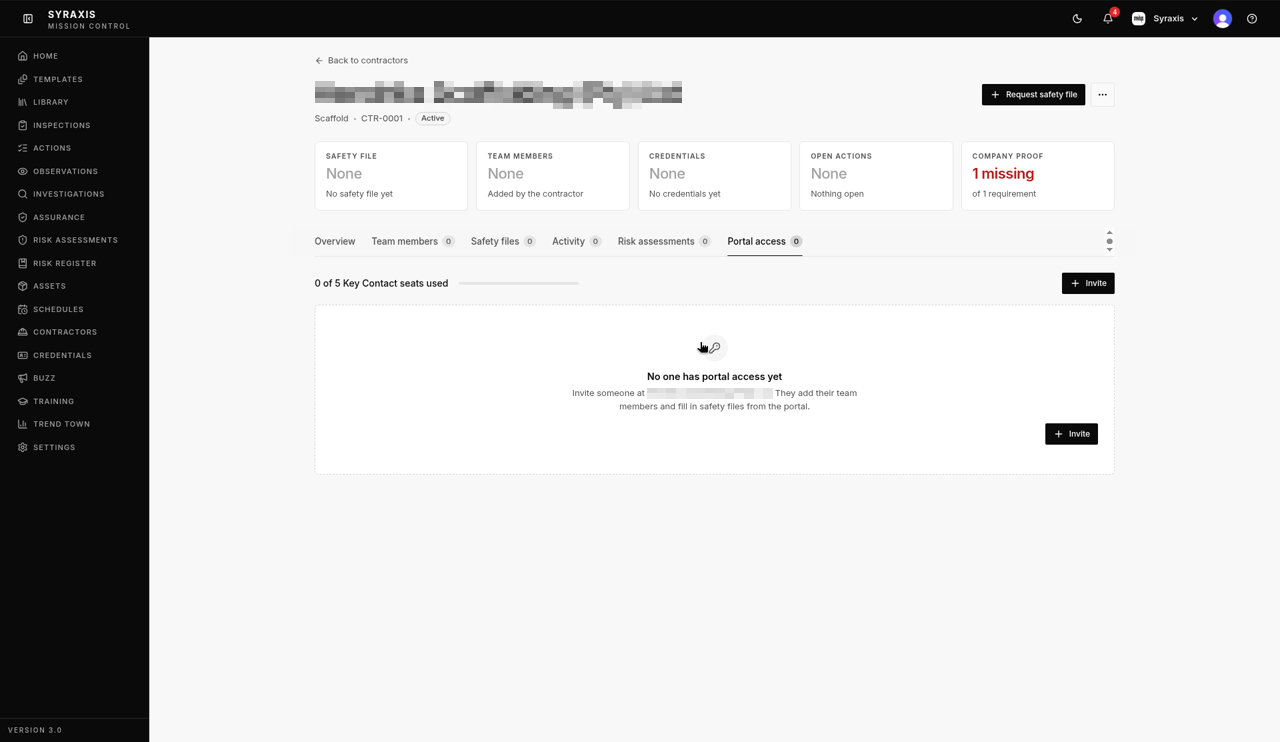 2
2 - 3
Select Invite.
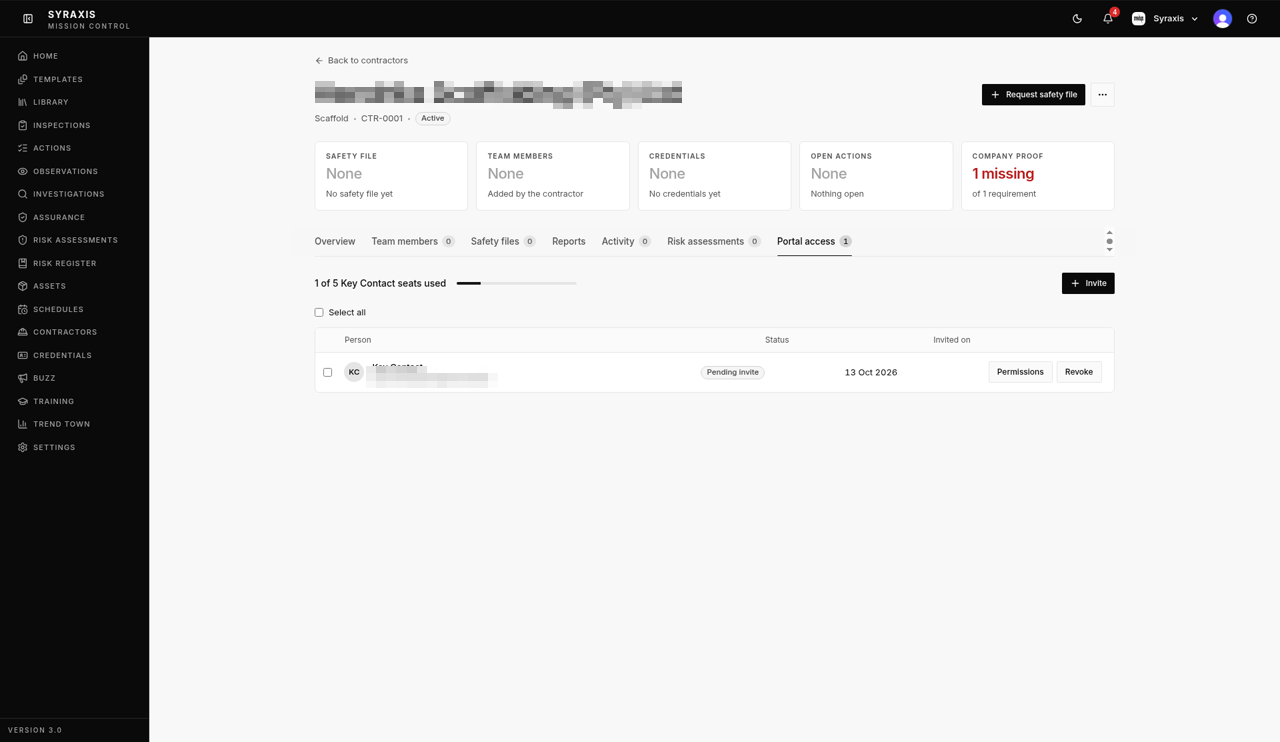 3
3 - 4
Enter their Email, First name and Last name, and Phone if you have it.
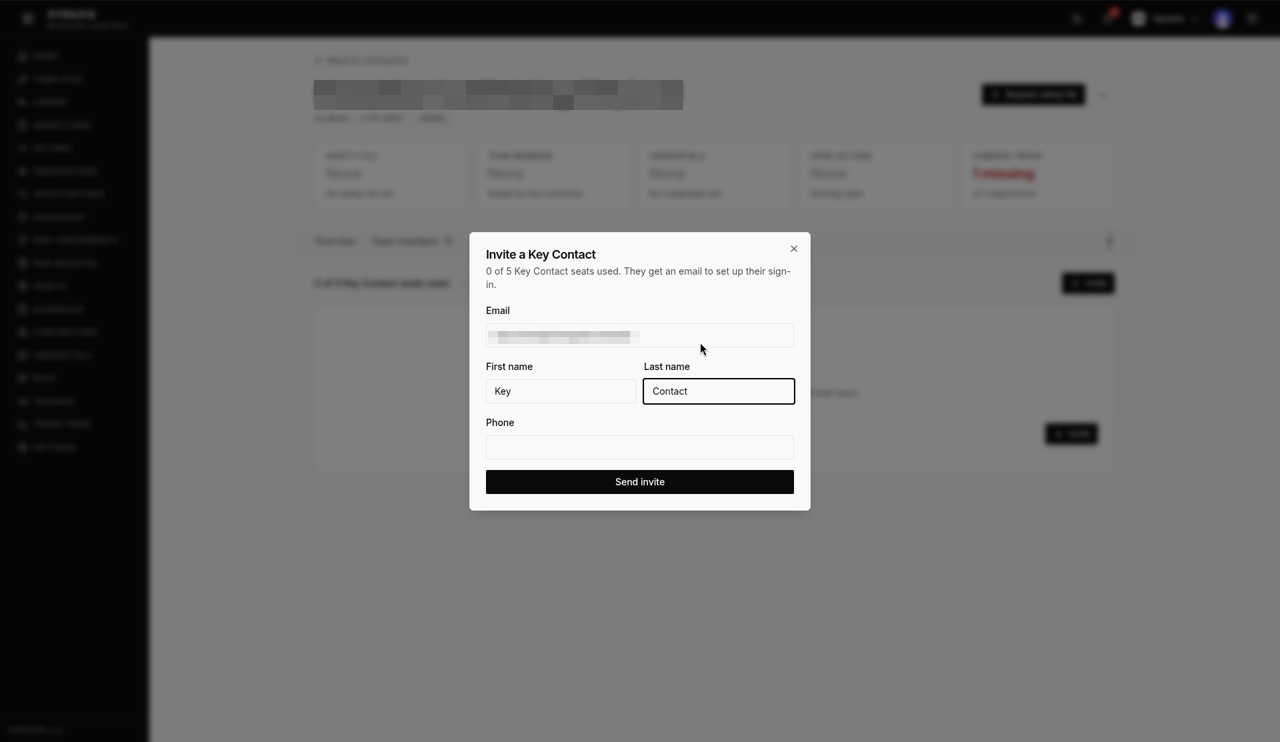 4
4 - 5
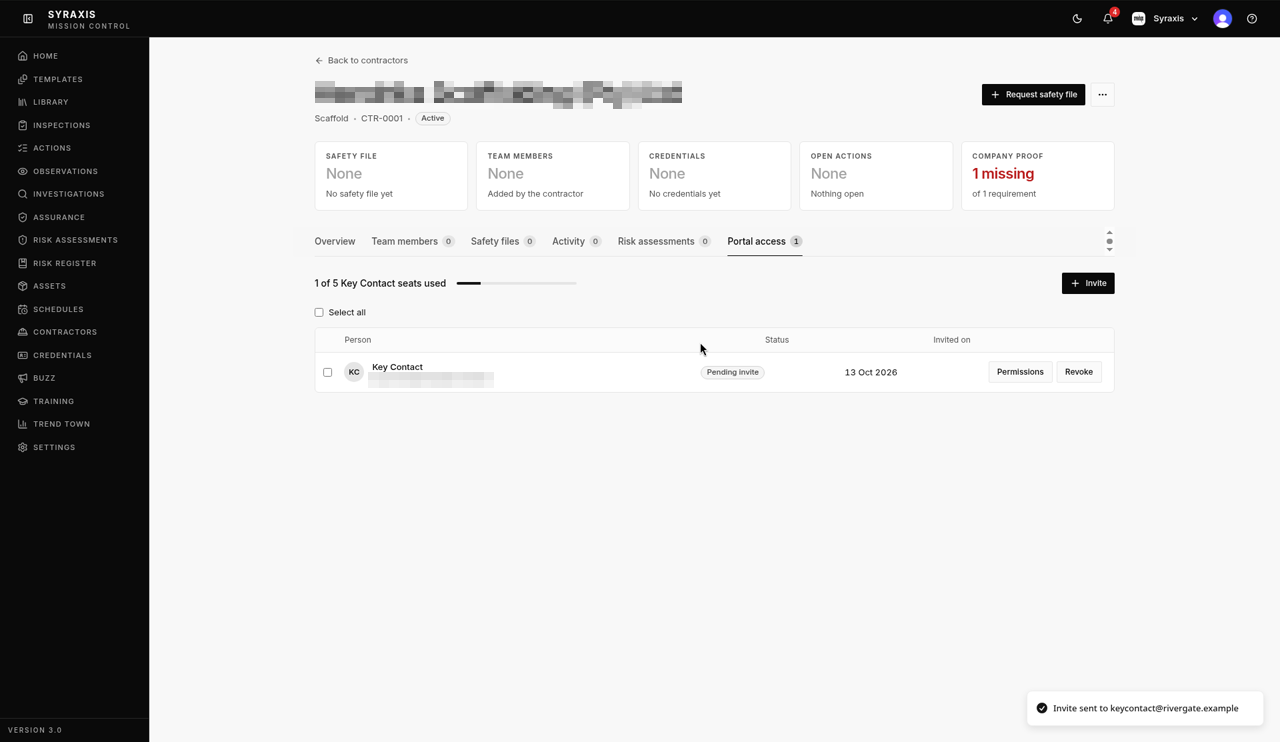
Select Send invite. You'll see "Invite sent to …", and their row shows Pending invite.
 5
5 - 6
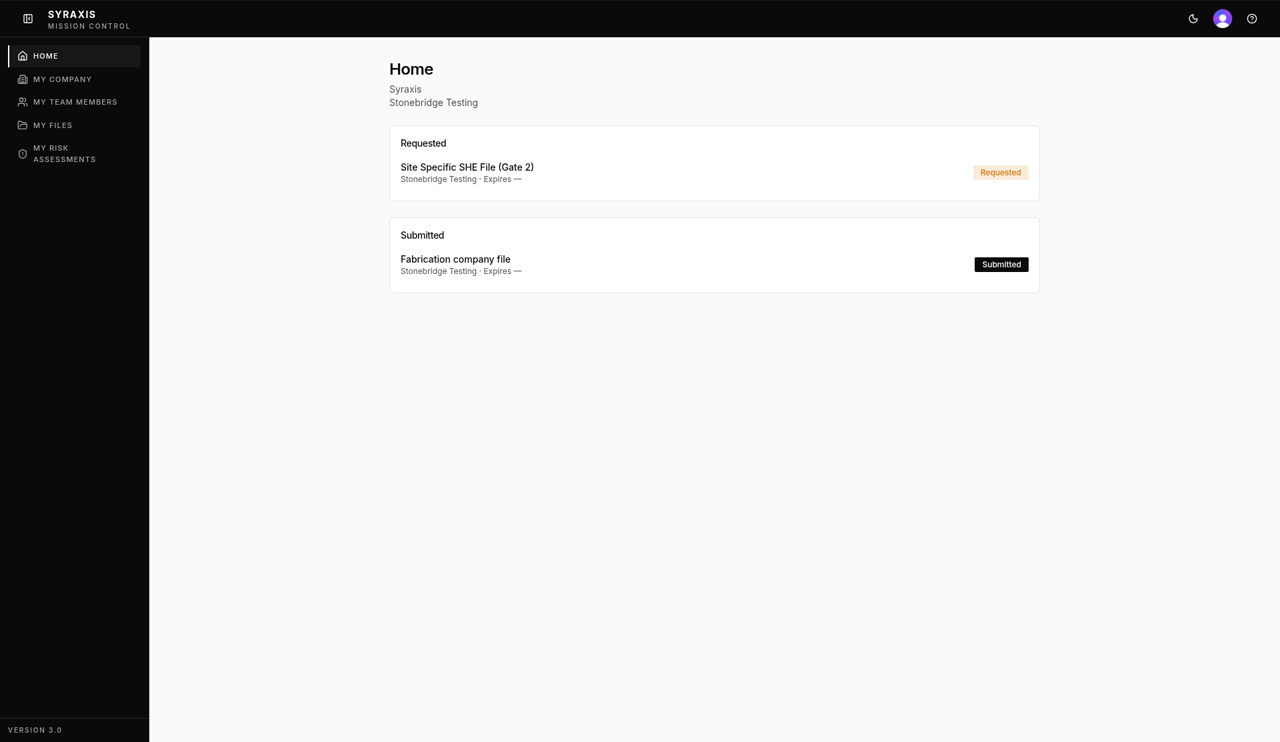
Once they accept, they sign in and see Home, My Company, My Team Members, My Files and My Risk Assessments.
 6
6
Note
Each company can have up to 5 key contacts. The tab shows how many you've used, for example "1 of 5 Key Contact seats used". Contractors only see their own company's information.
What's next
- Give a contractor a monthly report Publish a monthly report and assign it to contractor companies.
Was this helpful?Thanks for telling us.
Still stuck?
Send us a message and tell us what you were trying to do. A screenshot helps.
Contact usUpdated 13 Oct 2026