On this page
Set up your sites and areas
You will build your site list, with areas inside each site.
AdminAll plans
What you'll need
- Admin role (or Site Manager).
- A list of your sites and the areas in each one.
Steps
- 1
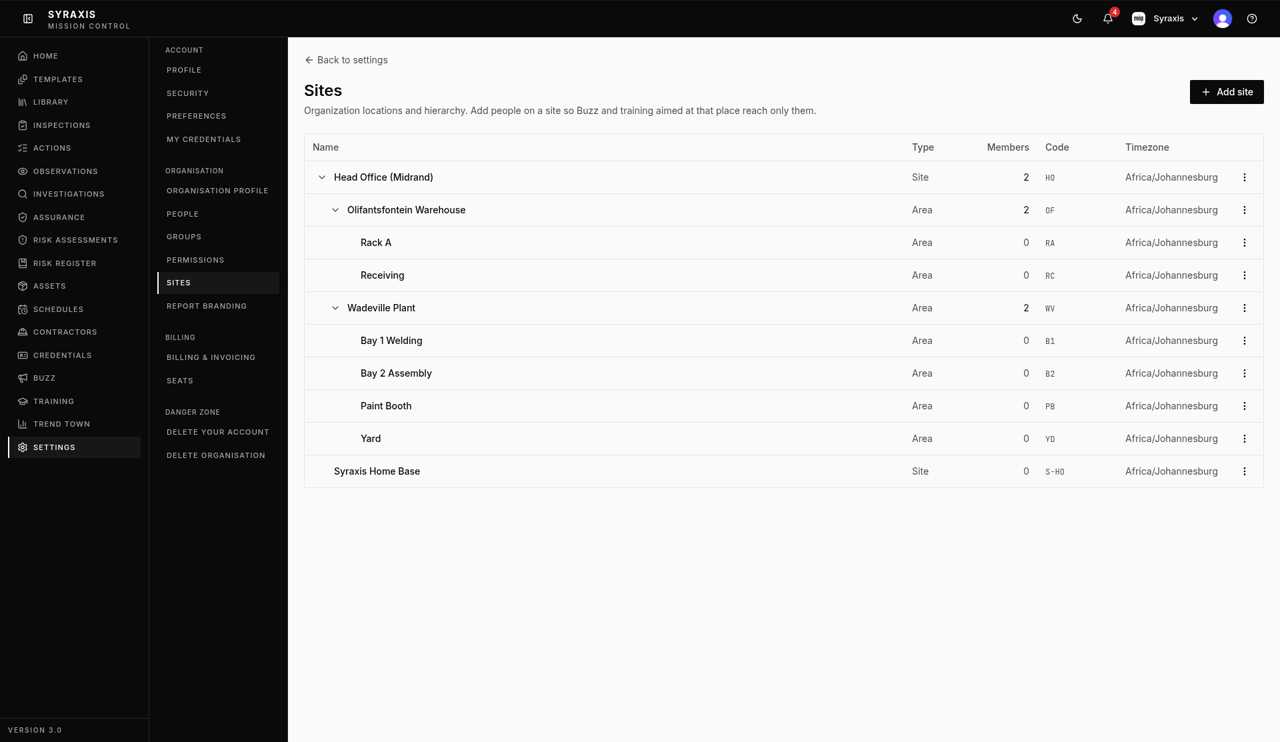
Open Settings and select Sites.
 1
1 - 2
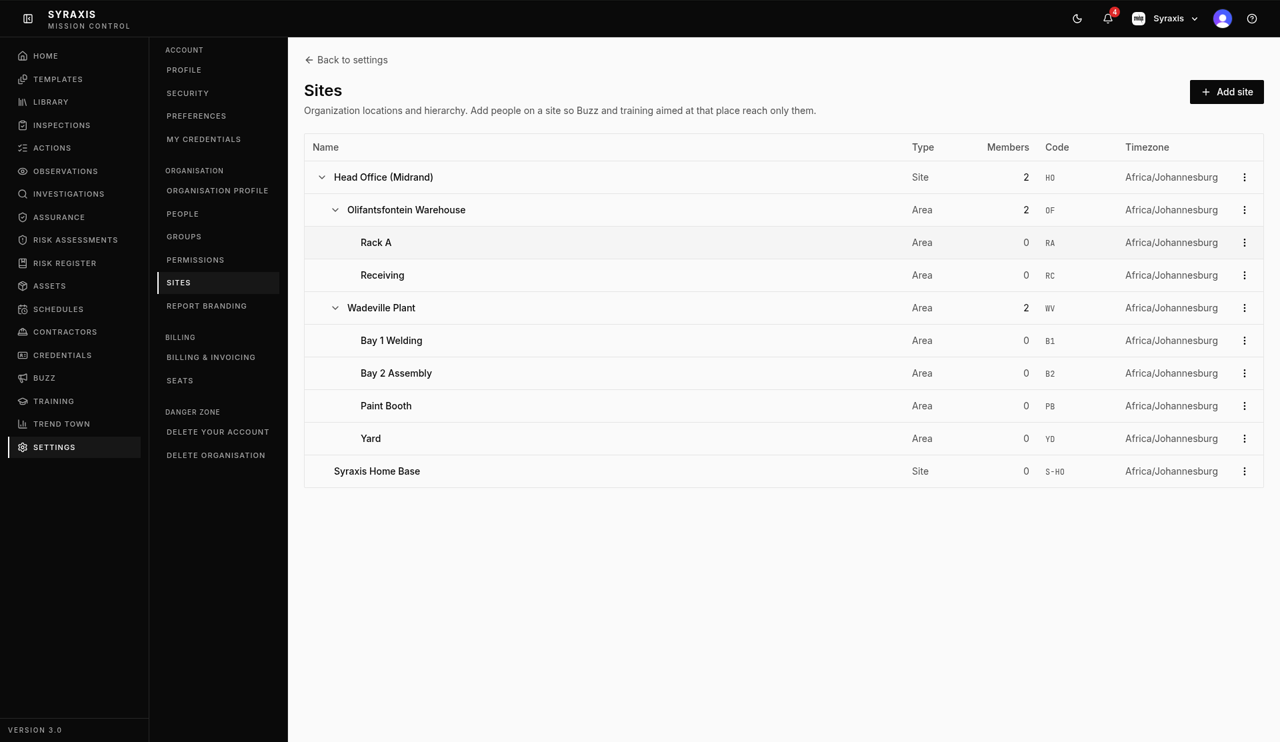
Select Add site.
 2
2 - 3
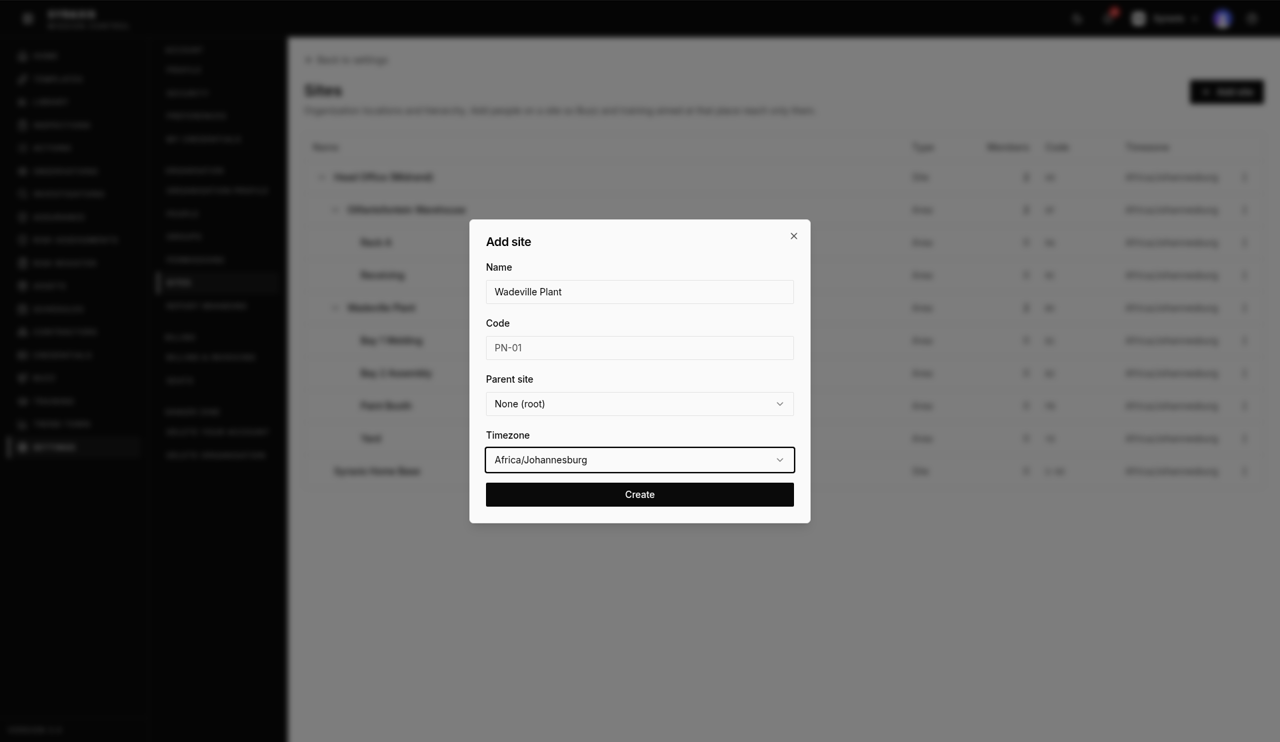
Enter the Name, for example Wadeville Plant.
 3
3 - 4
Choose the Timezone. Leave Parent site as None (root).
4 - 5
Select Create.
5 - 6
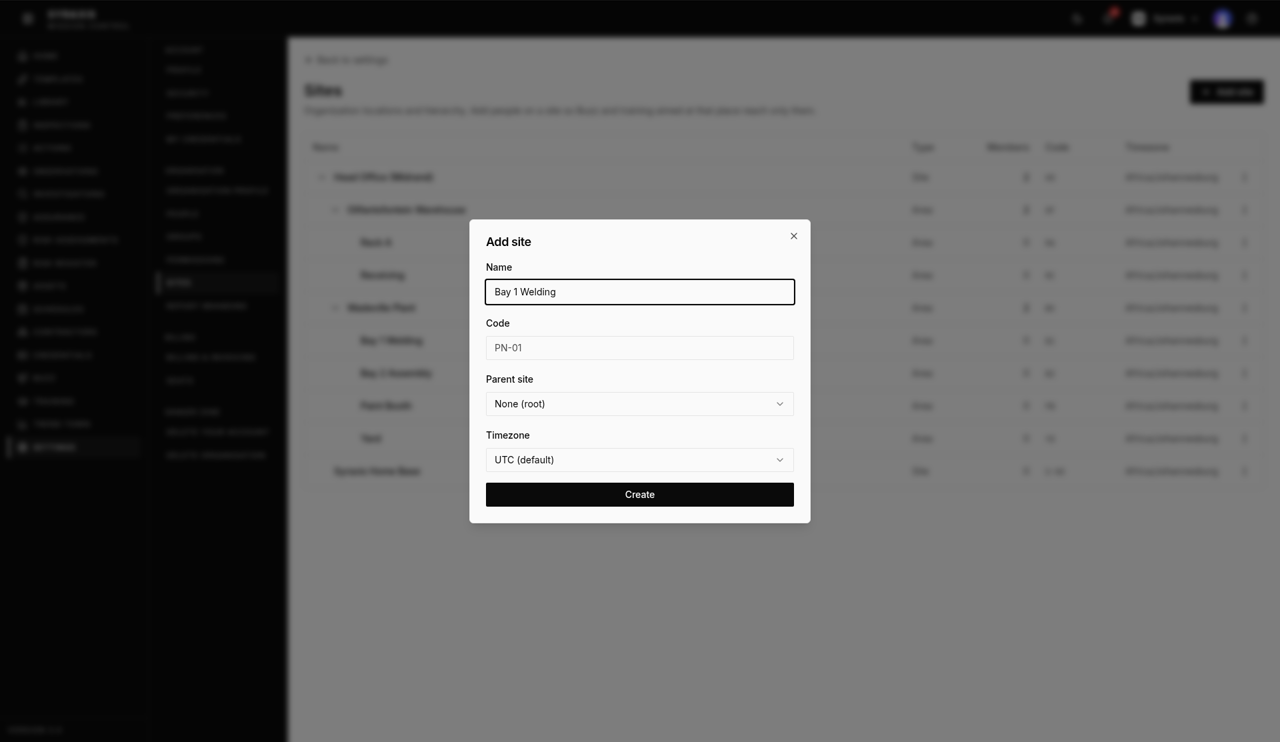
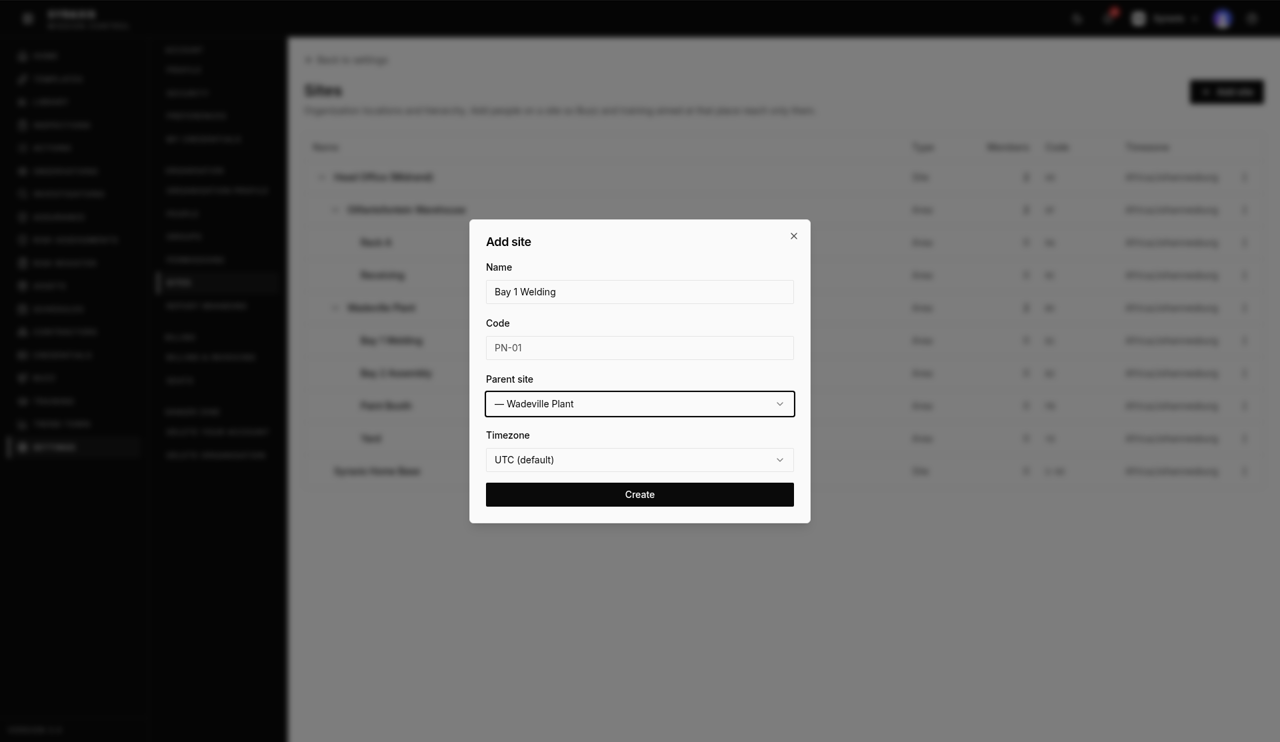
Select Add site again to add an area, for example Bay 1 Welding.
 6
6 - 7
Choose your site, for example Wadeville Plant, as the Parent site, then select Create.
 7
7 - 8
Check the list. Areas sit under their site and show Area in the Type column.
8
Tip
Add a short Code, like PN-01, so sites are easy to tell apart in reports.
What's next
- Create and publish a template Build a checklist and make it live so your team can use it.
Was this helpful?Thanks for telling us.
Still stuck?
Send us a message and tell us what you were trying to do. A screenshot helps.
Contact usUpdated 13 Oct 2026