On this page
Schedule a recurring inspection
You will send an inspection on a repeat to people, assets, groups or contractor companies.
AdminSite ManagerAll plans
What you'll need
- A published template (see Create and publish a template).
Steps
- 1
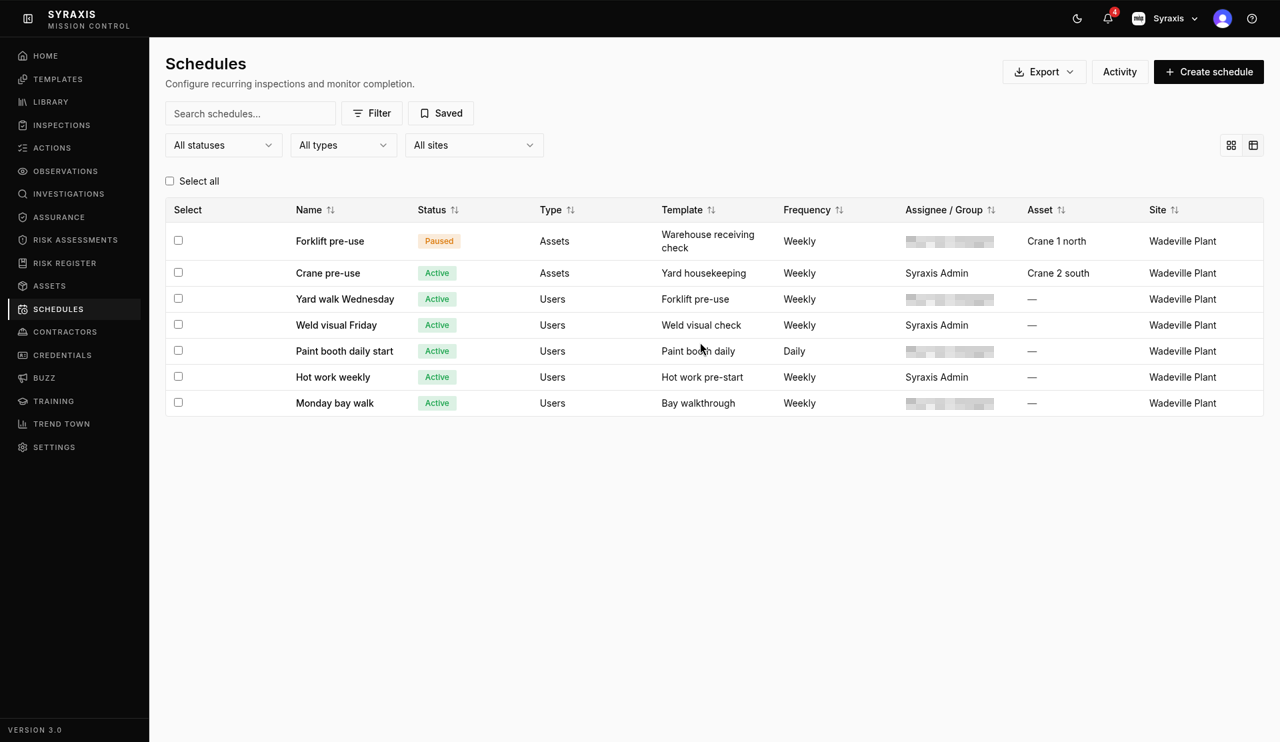
Open Schedules and select Create schedule.
 1
1 - 2
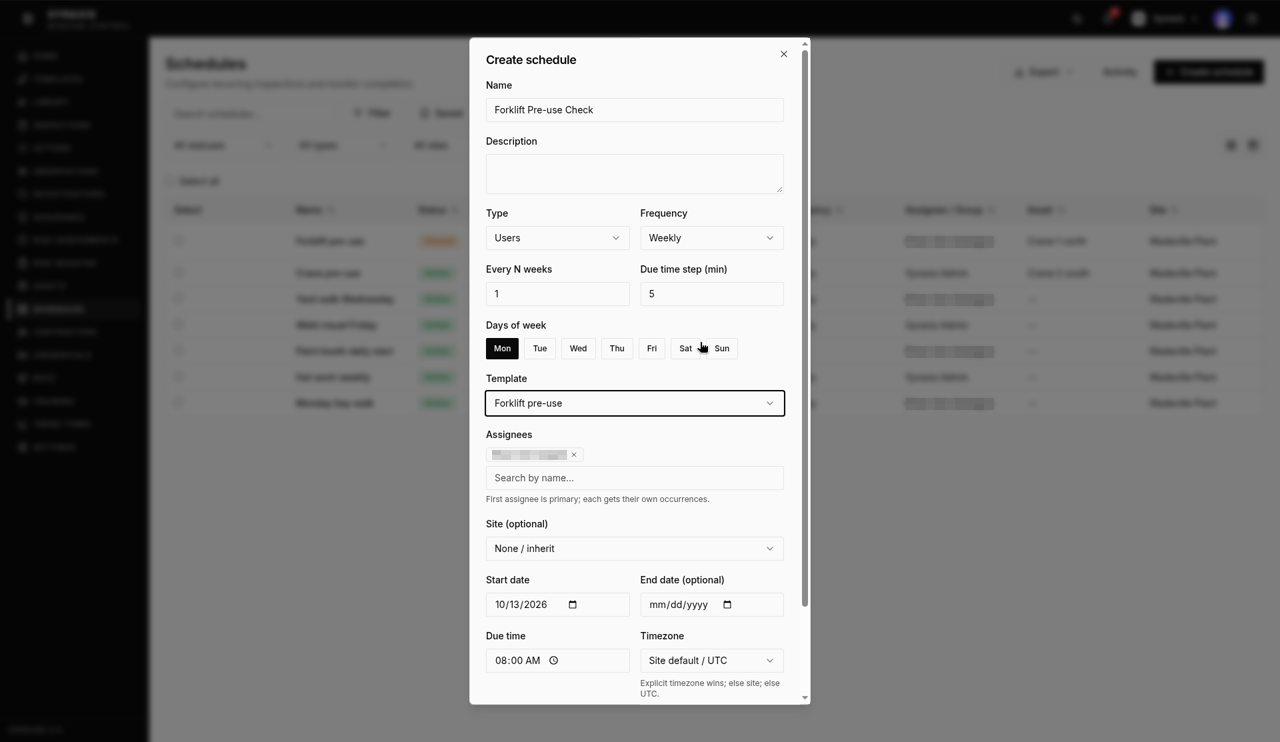
Enter a Name, for example Forklift Pre-use Check, and choose the Template, for example Forklift pre-use.
 2
2 - 3
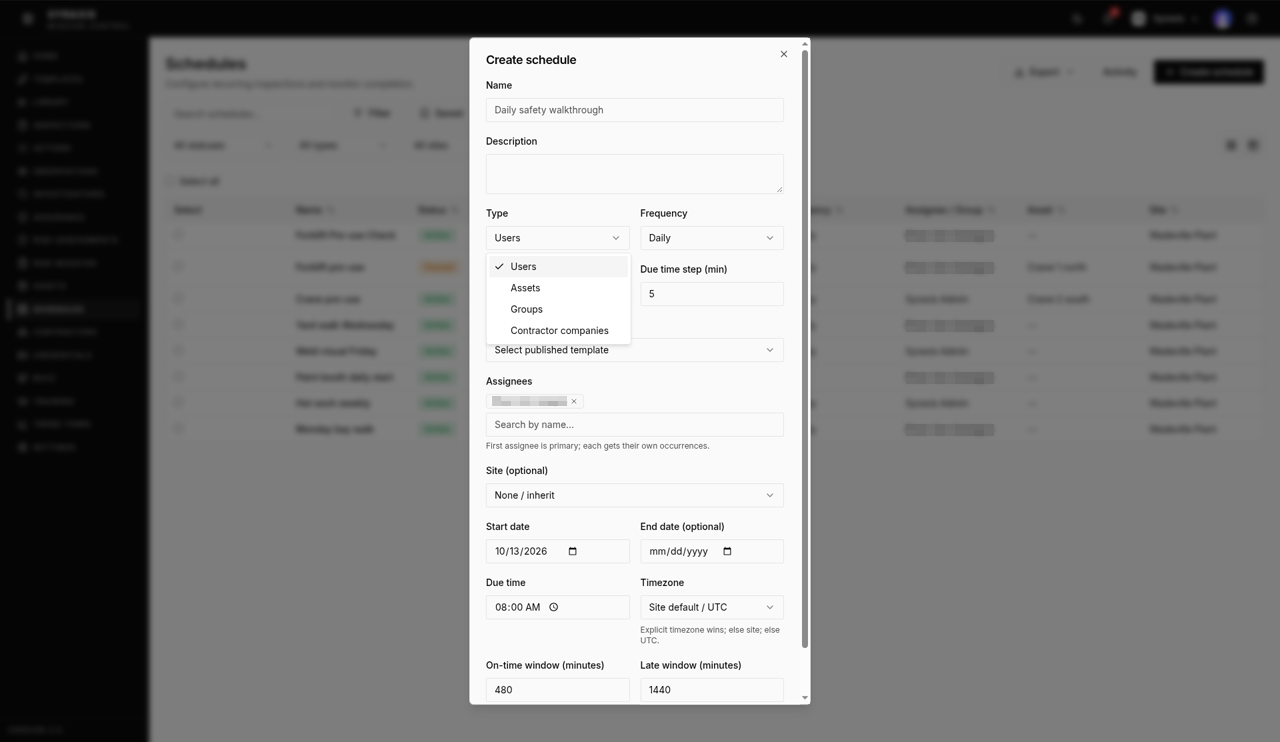
Choose Users, Assets, Groups or Contractor companies under Type, then pick who or what it's for.
 3
3 - 4
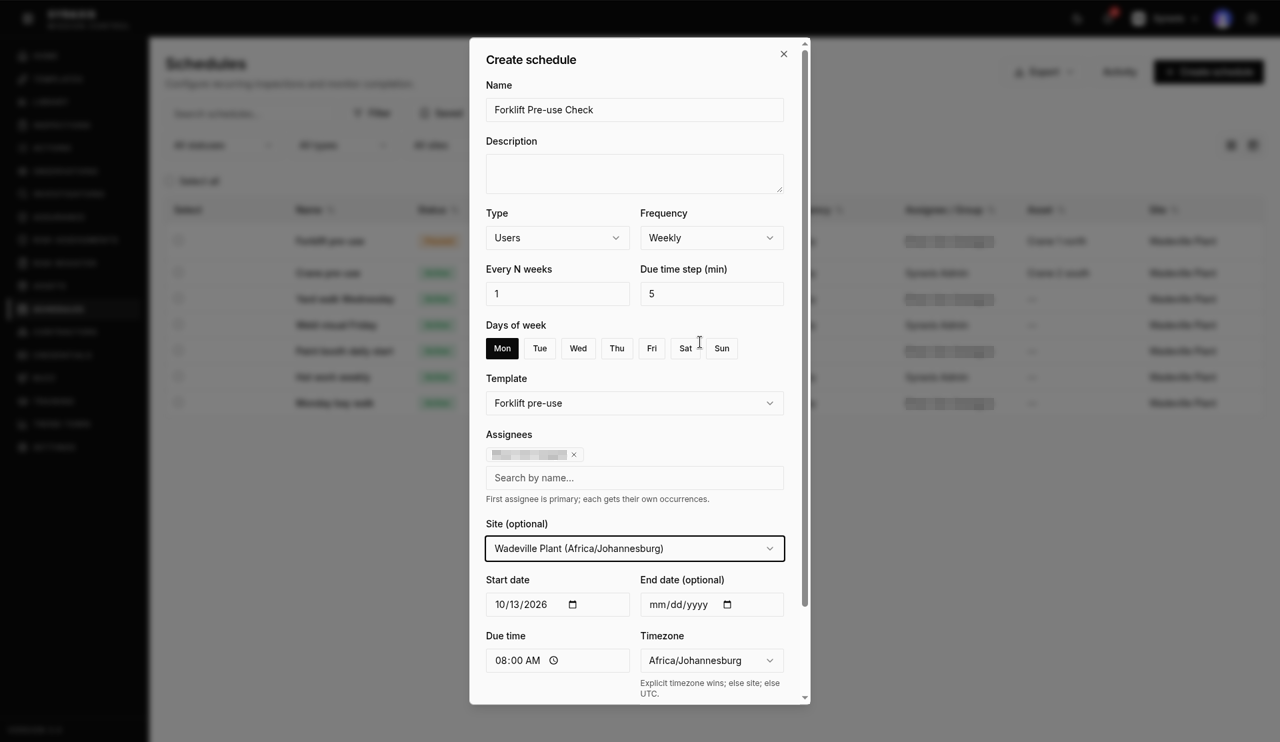
Set the Frequency to Weekly and pick the Days of week.
 4
4 - 5
Set the Due time and Start date.
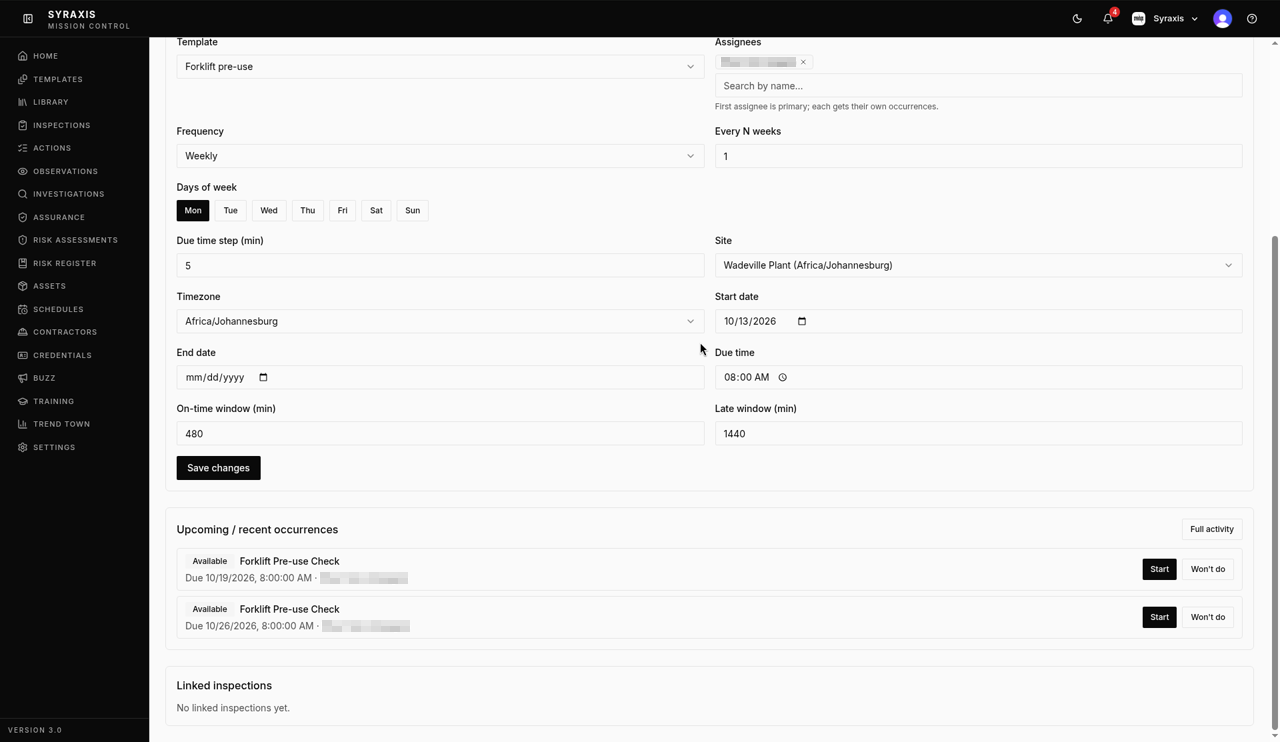 5
5 - 6
Choose the Site (optional), then select Create schedule.
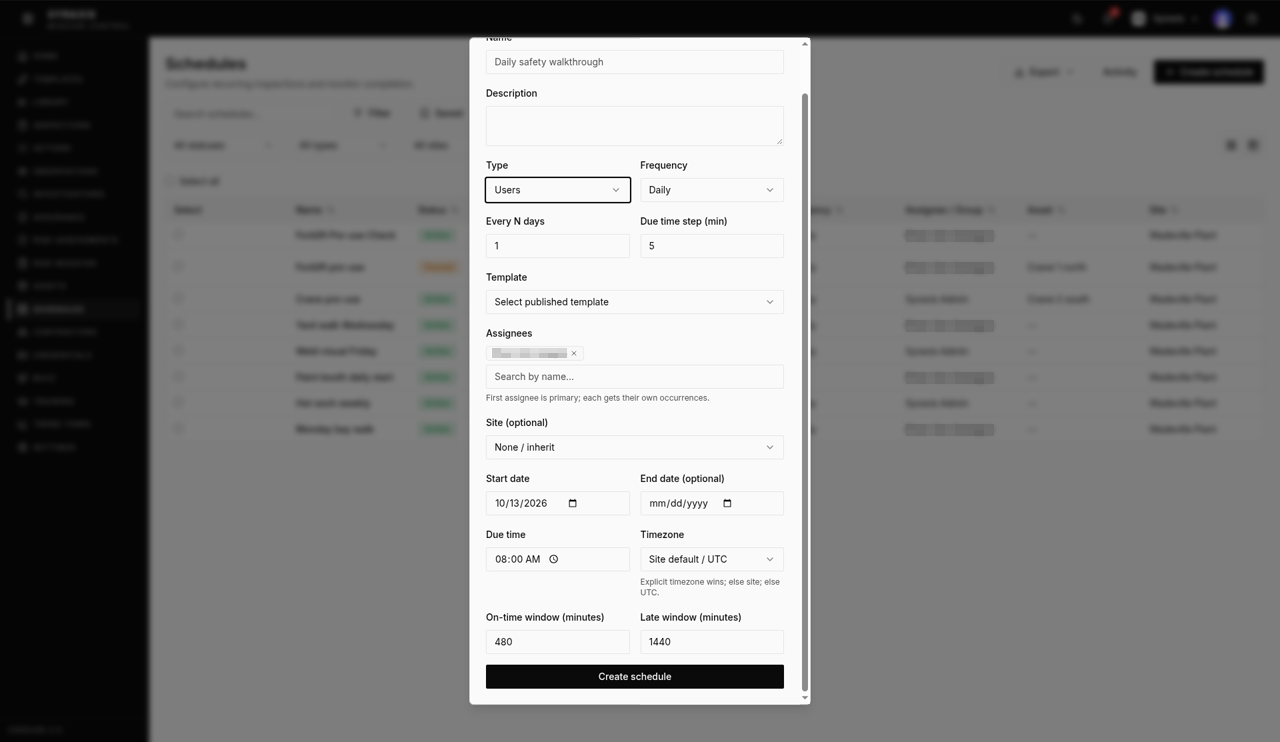 6
6 - 7
Open the schedule and check Upcoming / recent occurrences.
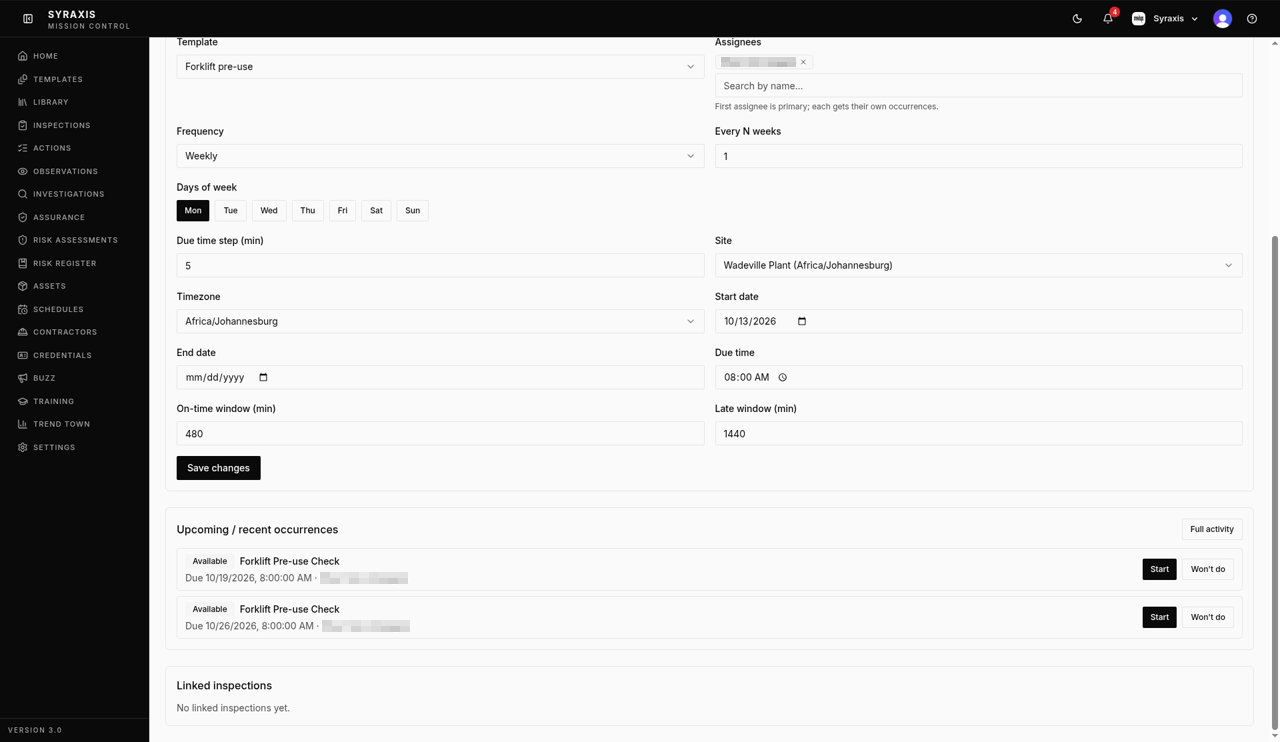 7
7 - 8
Select Full activity to see every past and future occurrence.
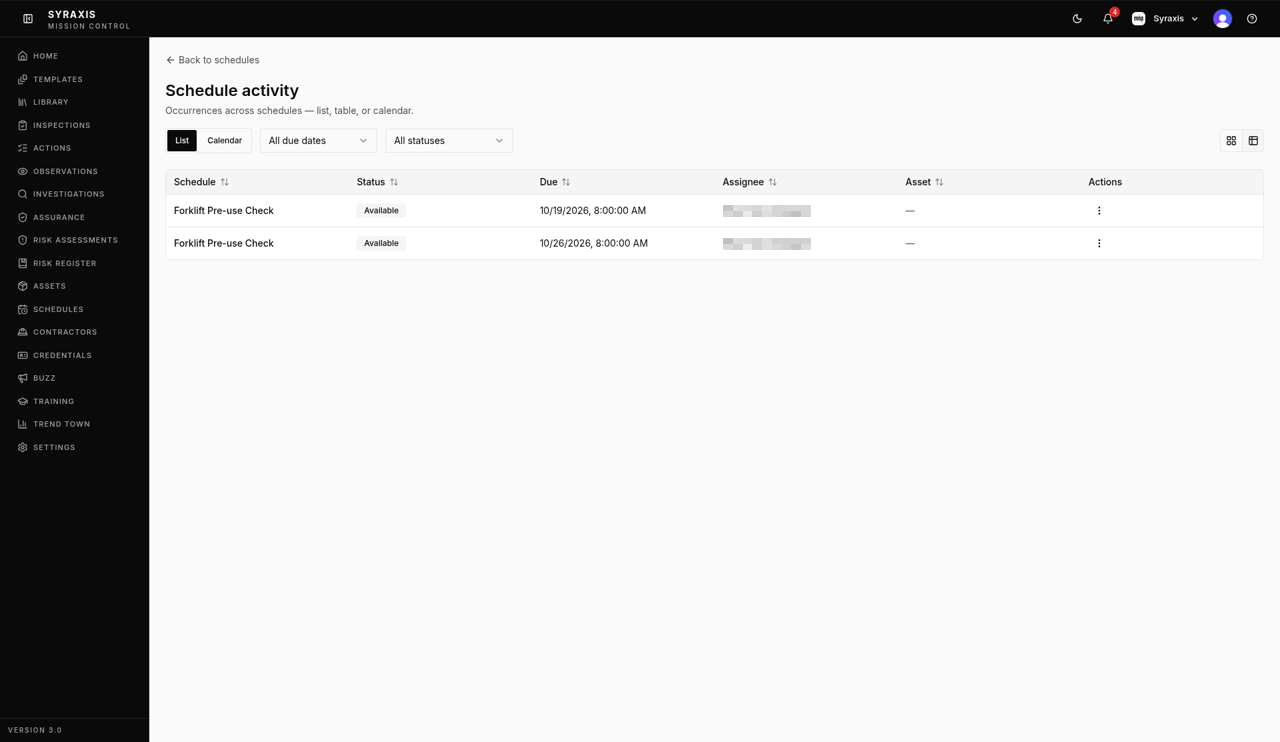 8
8
What's next
- Create a Trend Town dashboard Build a dashboard and add charts to it. Pro
Was this helpful?Thanks for telling us.
Still stuck?
Send us a message and tell us what you were trying to do. A screenshot helps.
Contact usUpdated 13 Oct 2026