On this page
Invite your team
You will add a member and give them the right access and seat.
AdminAll plans
What you'll need
- Admin role.
- The person's work email address.
Steps
- 1
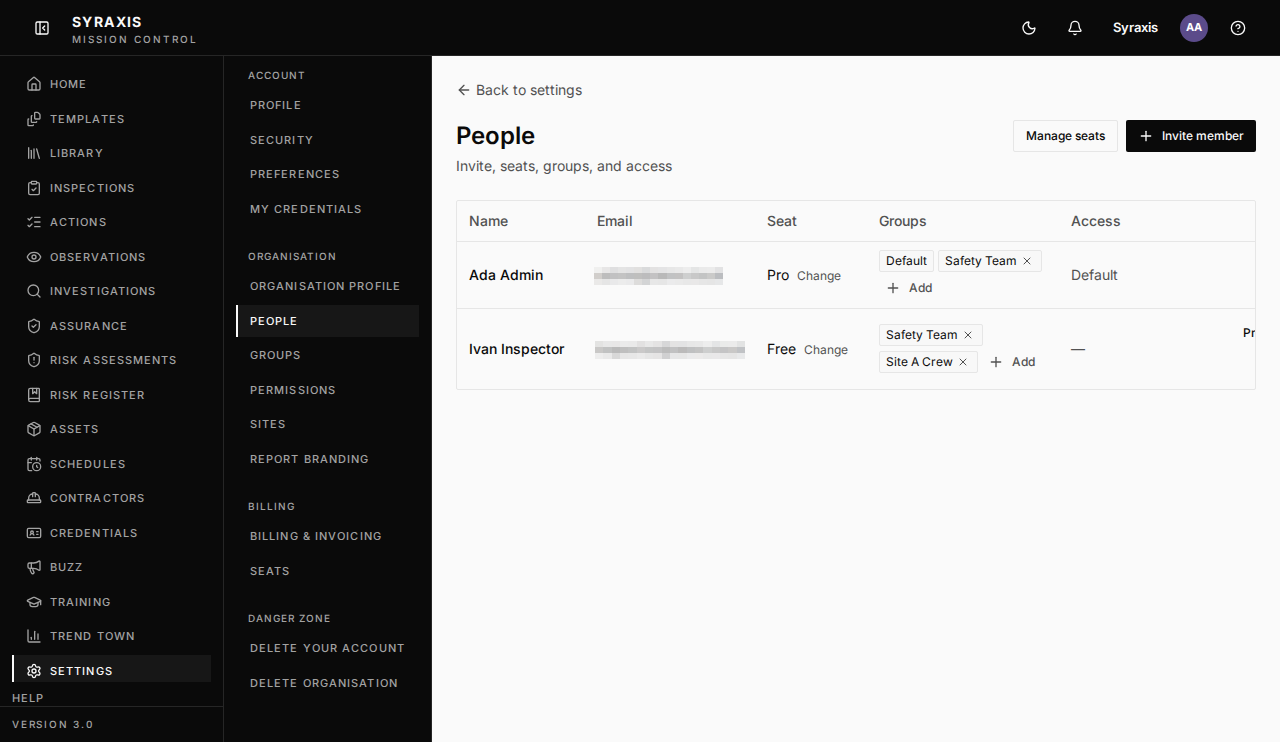
Open Settings and select People.
 1
1 - 2
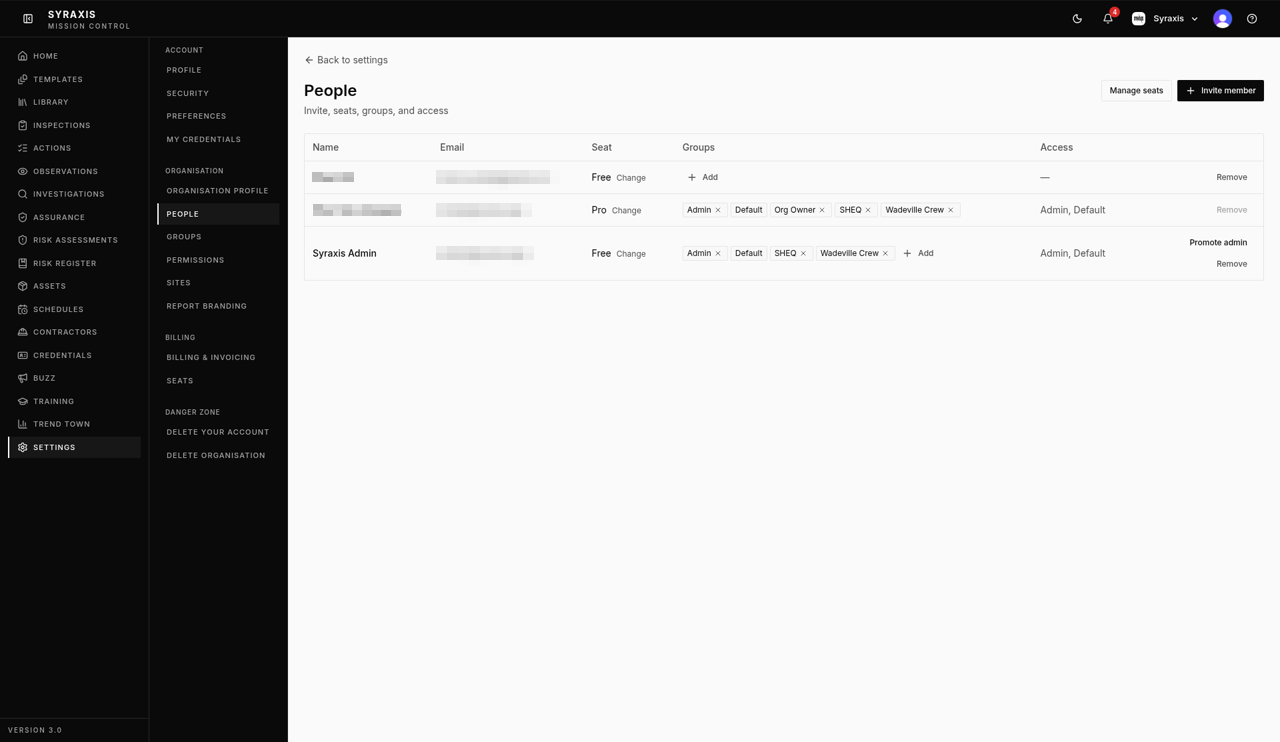
Select Invite member.
 2
2 - 3
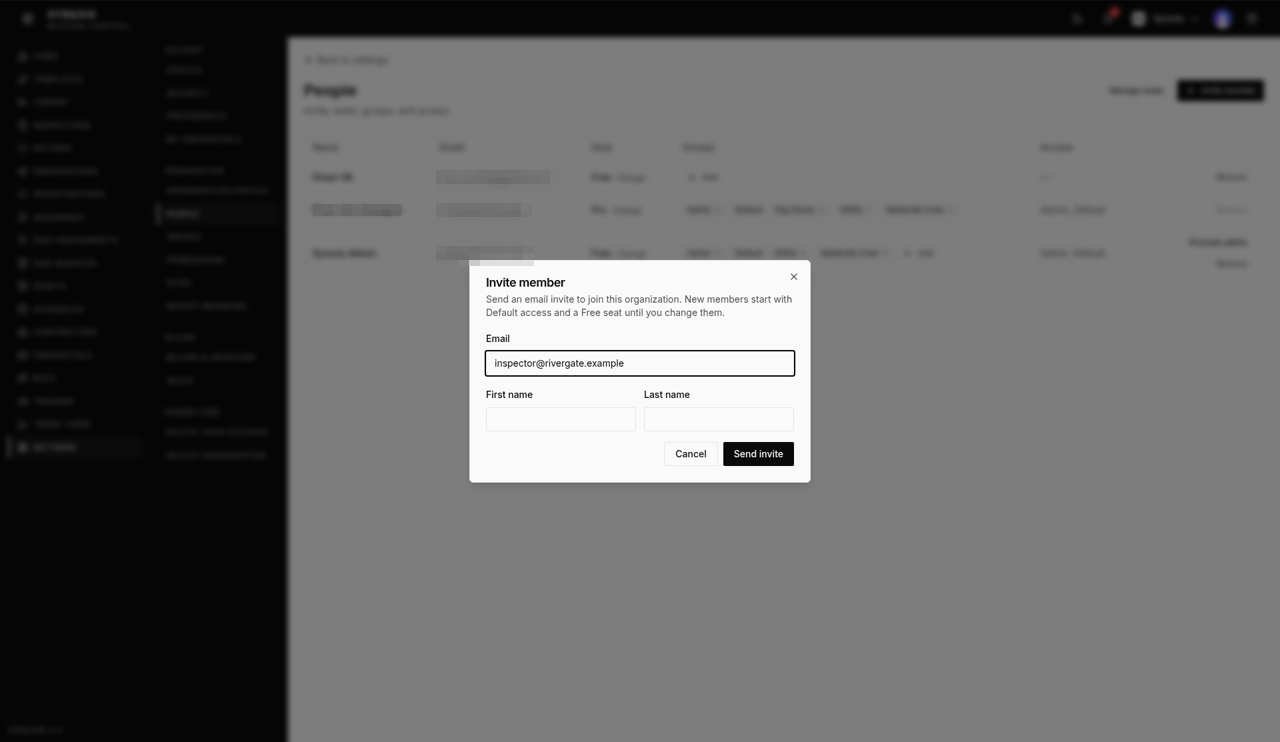
Enter their Email, First name and Last name.
 3
3 - 4
Select Send invite. They'll appear in the list after they accept.
- 5
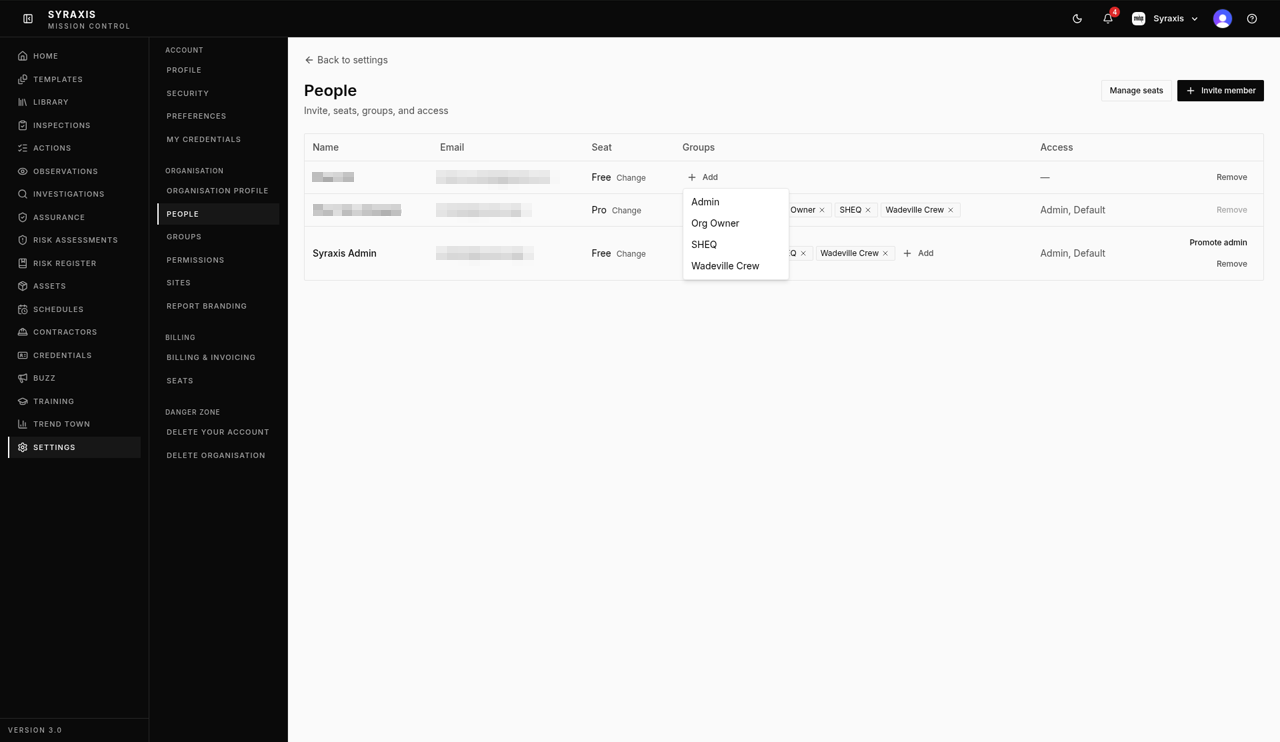
In the Groups column, select + Add next to the person and choose a group.
 5
5 - 6
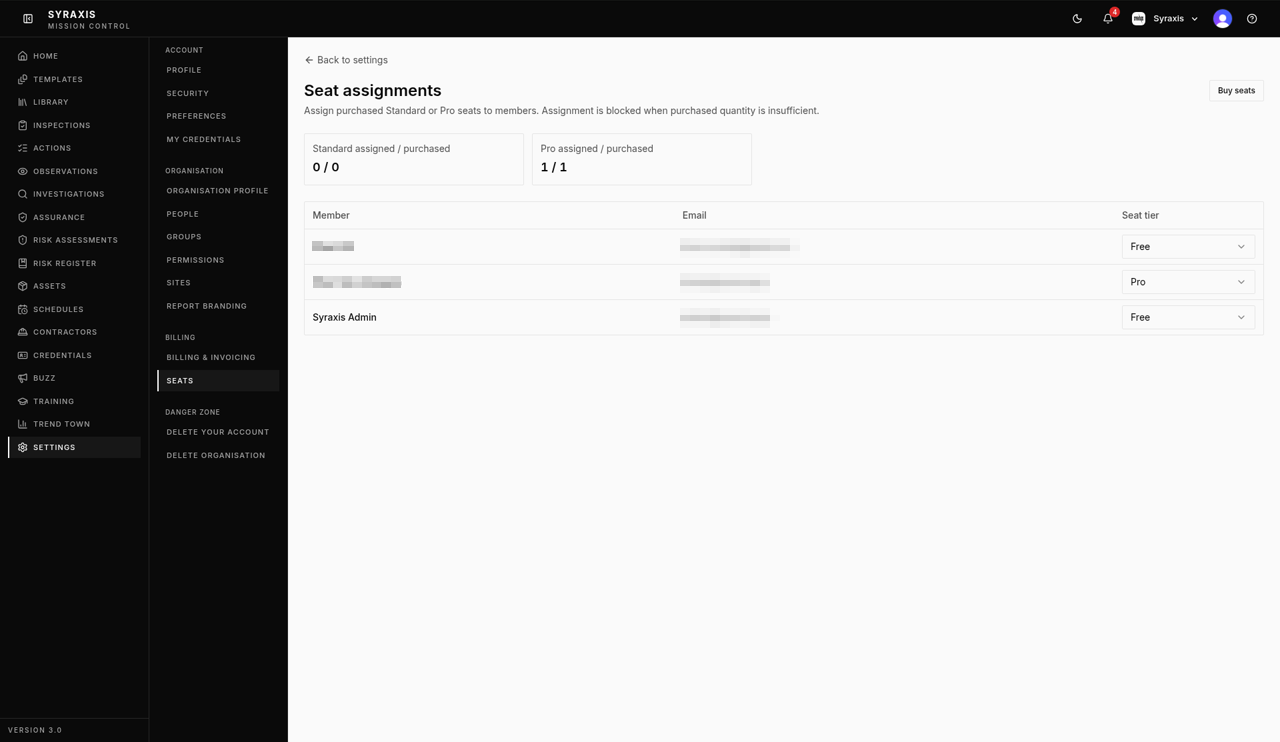
Open Settings › Seats and choose Free, Standard or Pro on their row.
 6
6
Note
New members start with Default access and a Free seat until you change them.
Tip
To take someone out of a group, select the x on the group's tag.
What's next
- Seats and plans Understand Free, Standard and Pro seats and assign them.
Was this helpful?Thanks for telling us.
Still stuck?
Send us a message and tell us what you were trying to do. A screenshot helps.
Contact usUpdated 13 Oct 2026