On this page
Find your way around Syraxis
You will know what Home and each menu item are for.
All rolesAll plans
What you'll need
- A Syraxis login. That's all.
Steps
- 1
Select Home to see what needs your attention today.
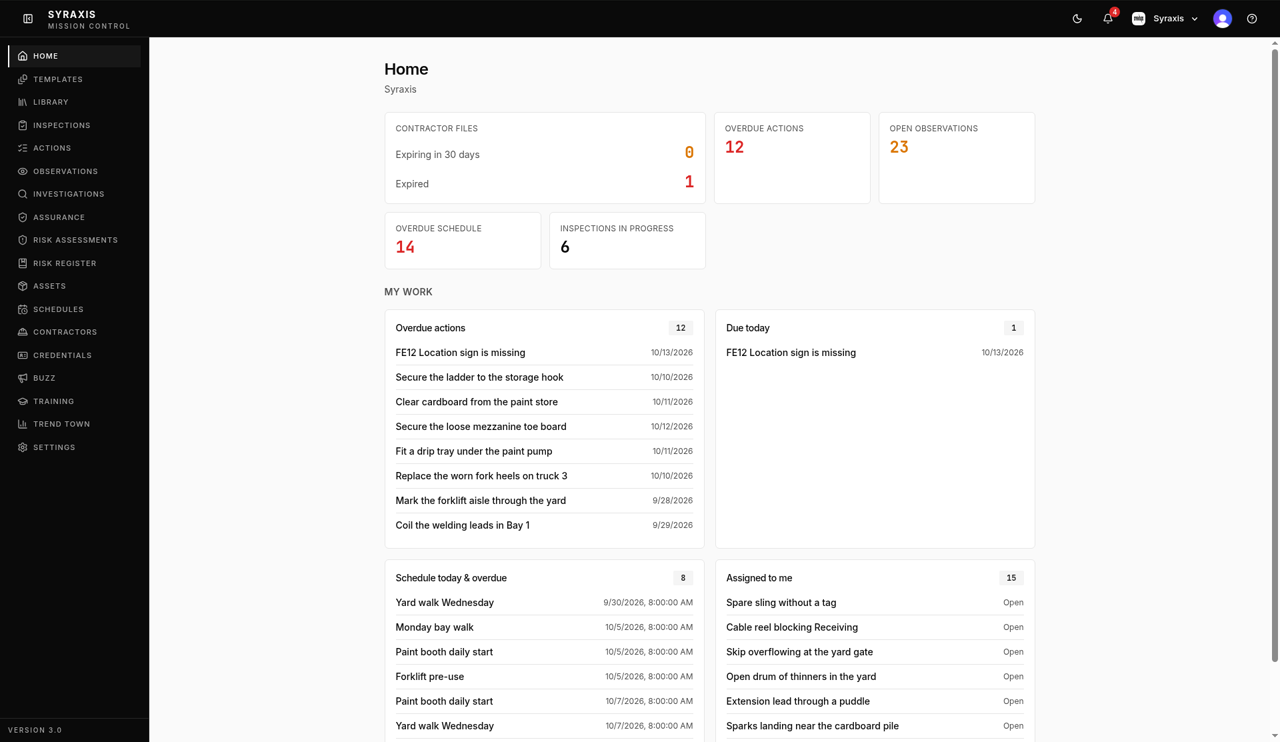 1
1 - 2
Use the left menu to open your work: Templates for checklists, Inspections for completed checks, Actions for fixes, and Observations for things people spotted on site.
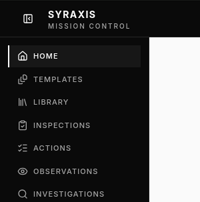 2
2 - 3
Open Contractors, Schedules and Trend Town to manage contractor companies, repeat inspections and charts.
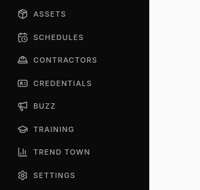 3
3 - 4
Select Settings to change your Profile, Security and Preferences. Admins also manage People, Sites, Seats and Billing & Invoicing here.
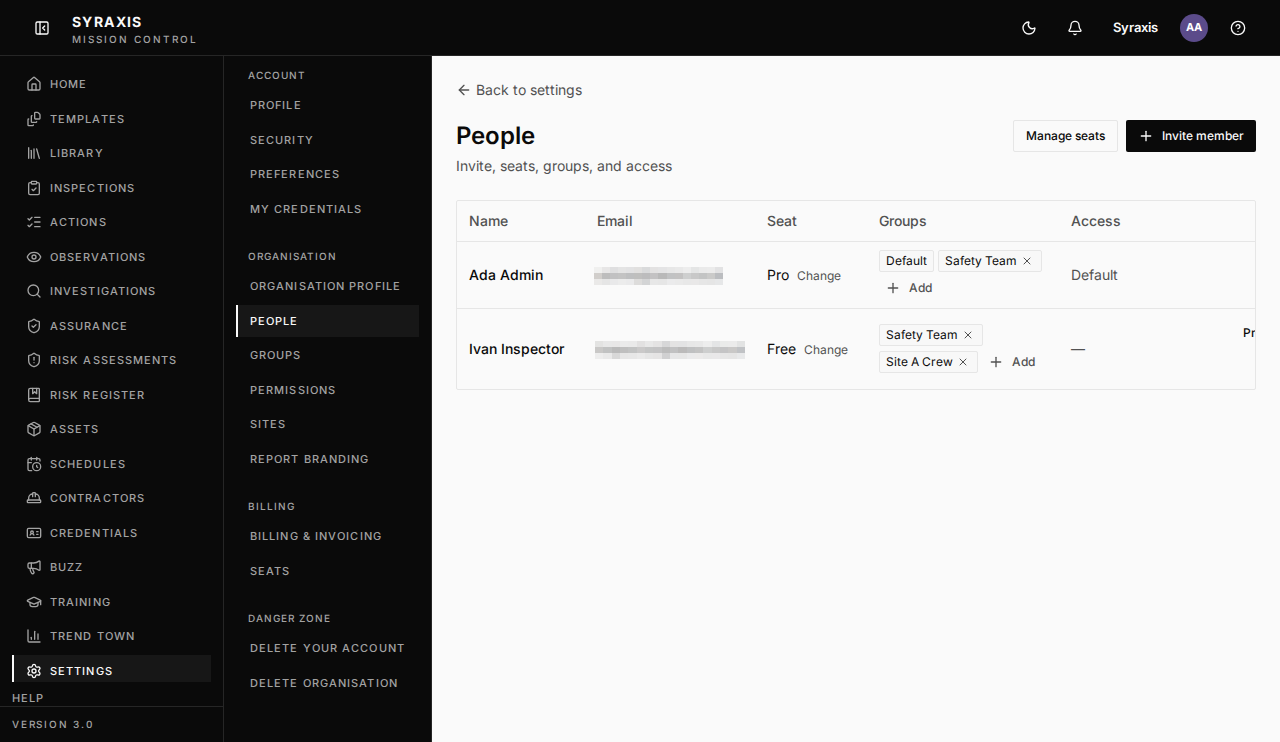 4
4
Note
You only see the menu items your role allows, so your menu may be shorter.
What's next
- Invite your team Add a member and give them the right access and seat.
Was this helpful?Thanks for telling us.
Still stuck?
Send us a message and tell us what you were trying to do. A screenshot helps.
Contact usUpdated 13 Oct 2026