On this page
Report an observation
You will log a hazard or good practice and follow it up.
All staffAll plans
What you'll need
- A Syraxis login. Everyone in your organisation can report observations by default.
Steps
- 1
Open Observations and select Create observation.
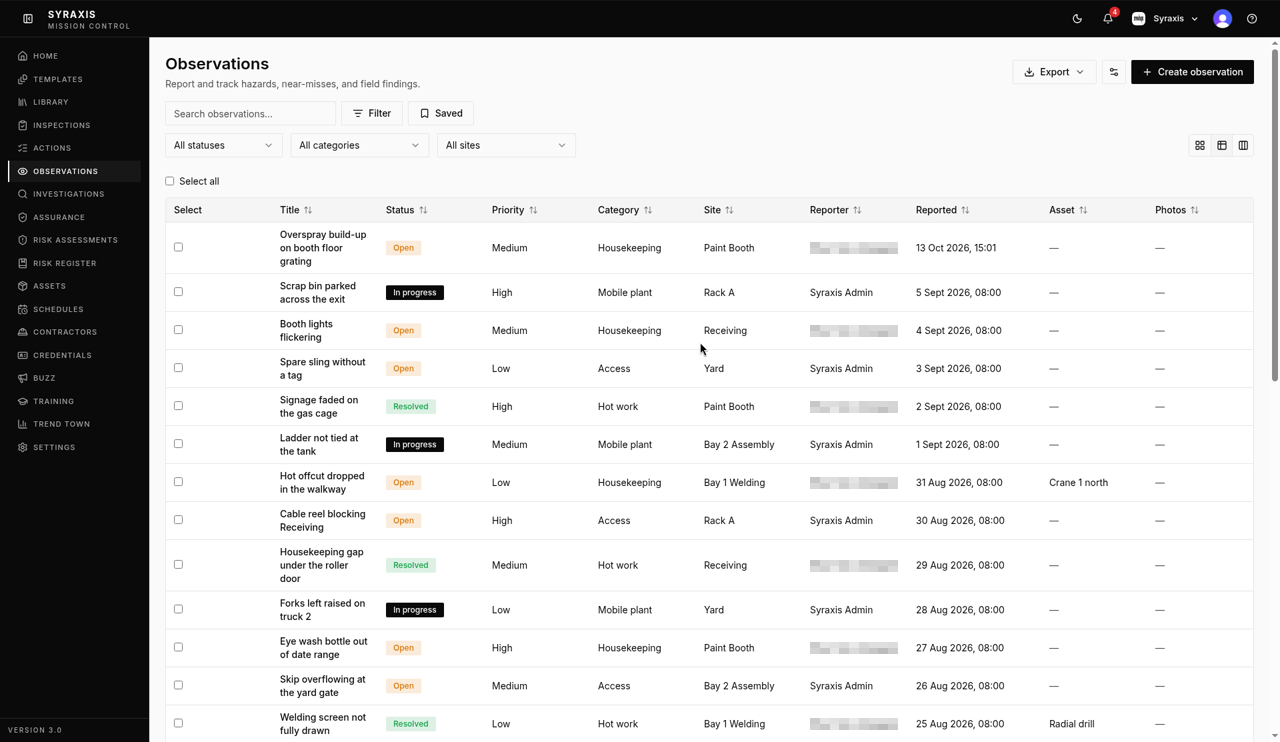 1
1 - 2
Enter a Title and Description, then choose a Category.
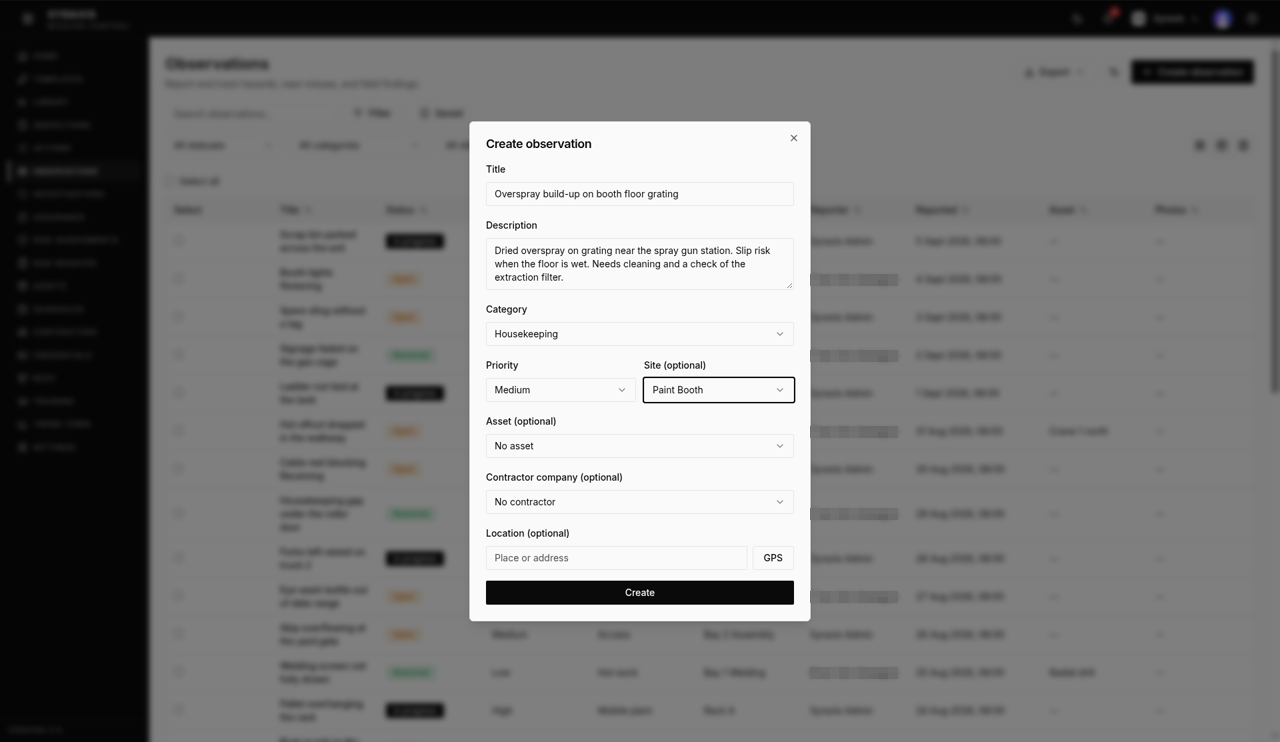 2
2 - 3
Choose the Site (optional), for example Paint Booth, and the Priority.
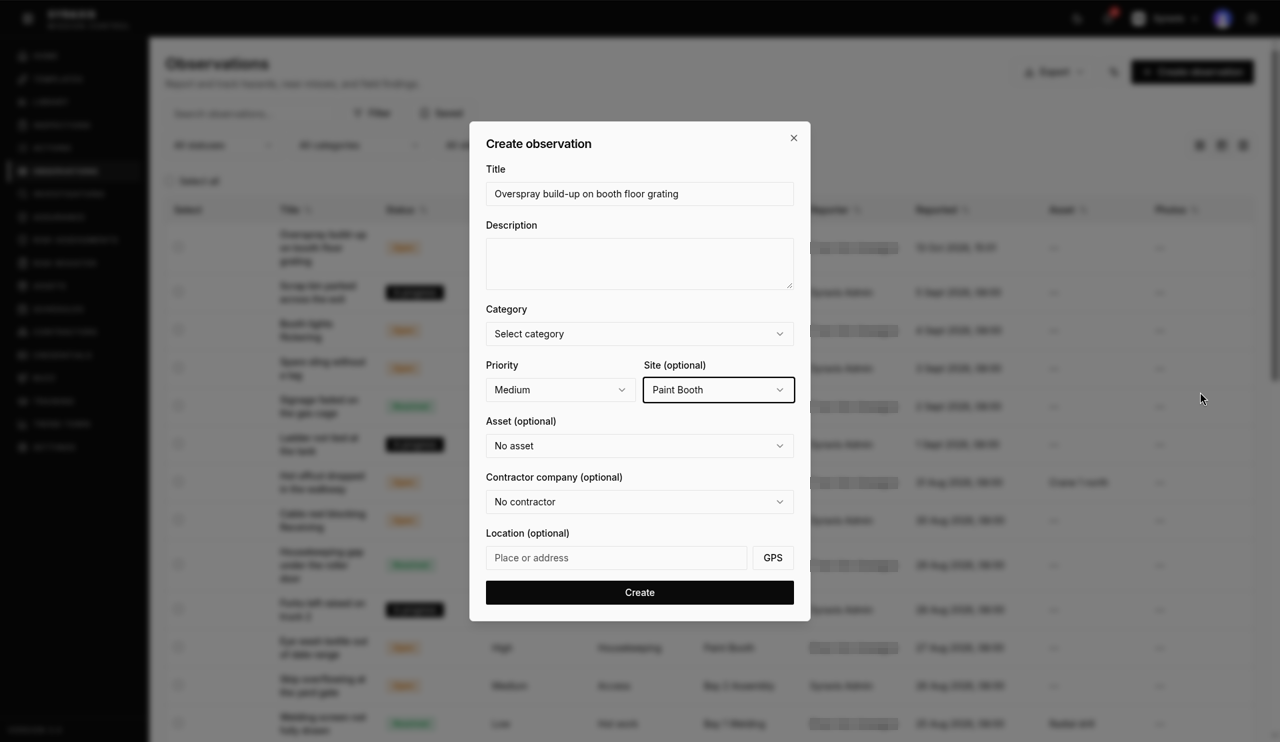 3
3 - 4
Select Create. Your observation shows as Open.
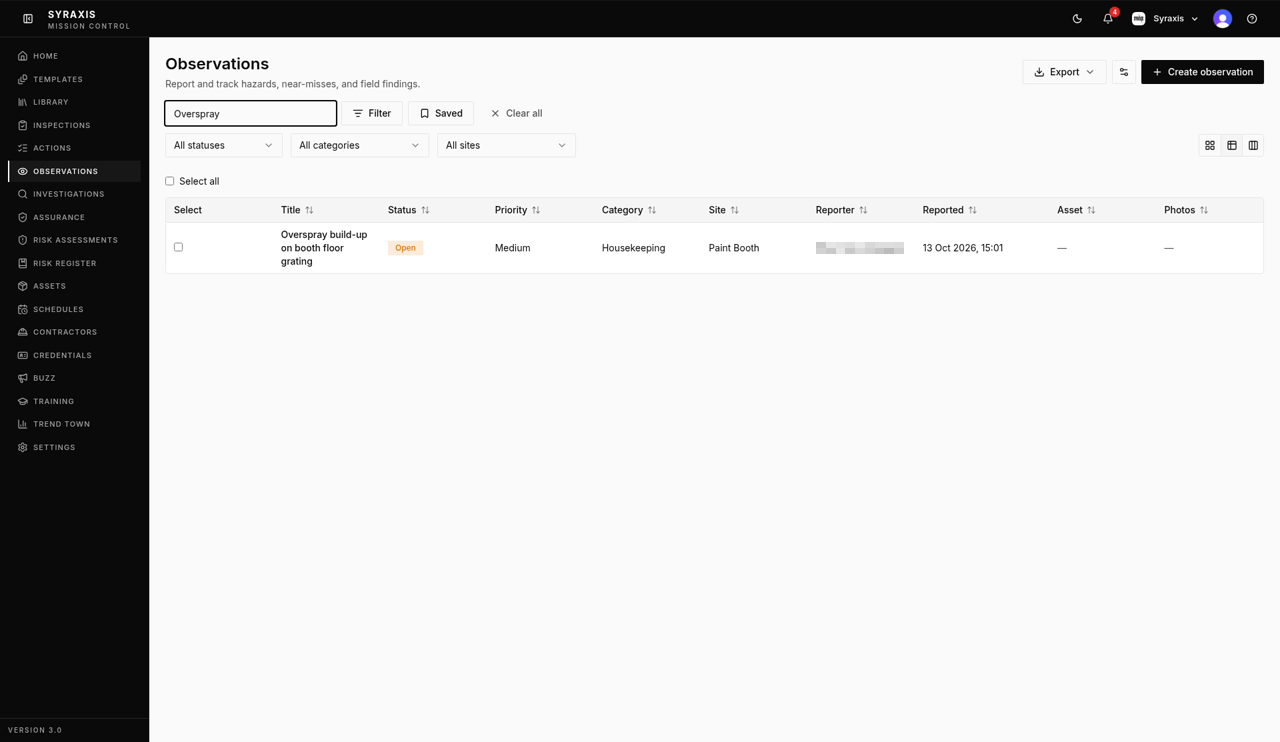 4
4 - 5
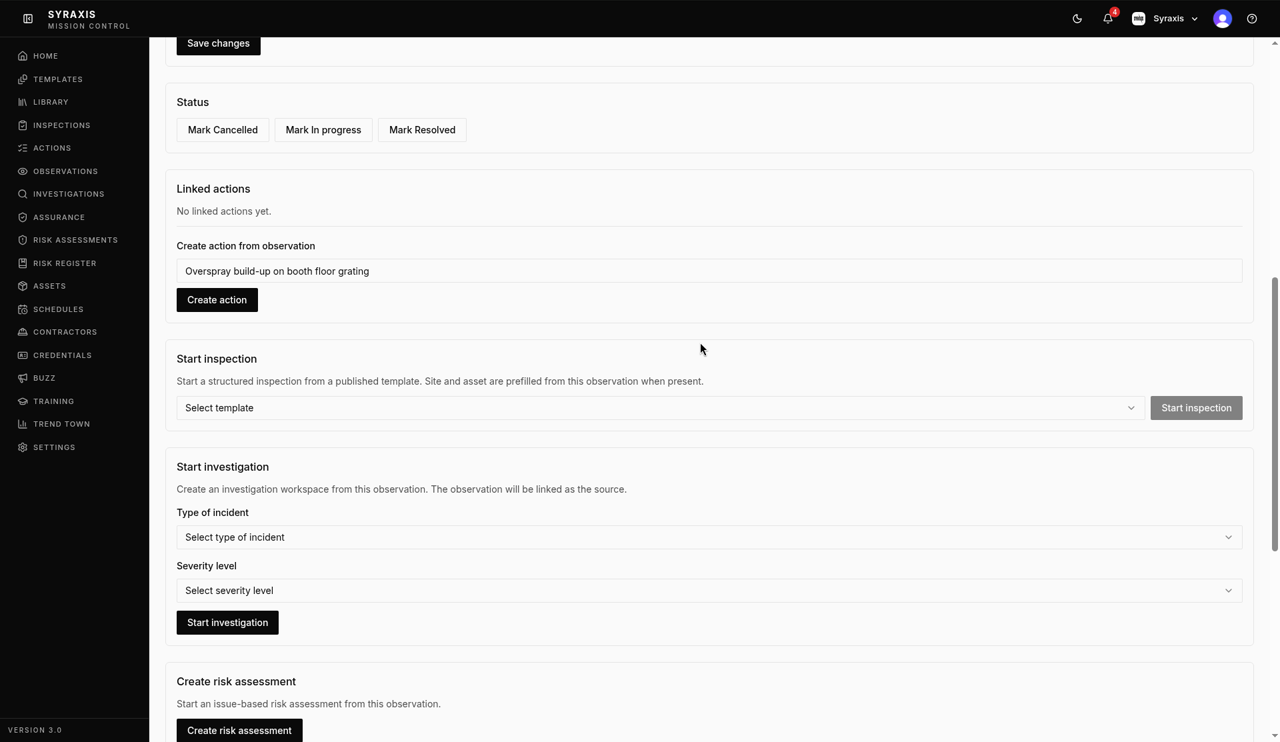
Open it and select Create action under Linked actions if something needs fixing.
 5
5 - 6
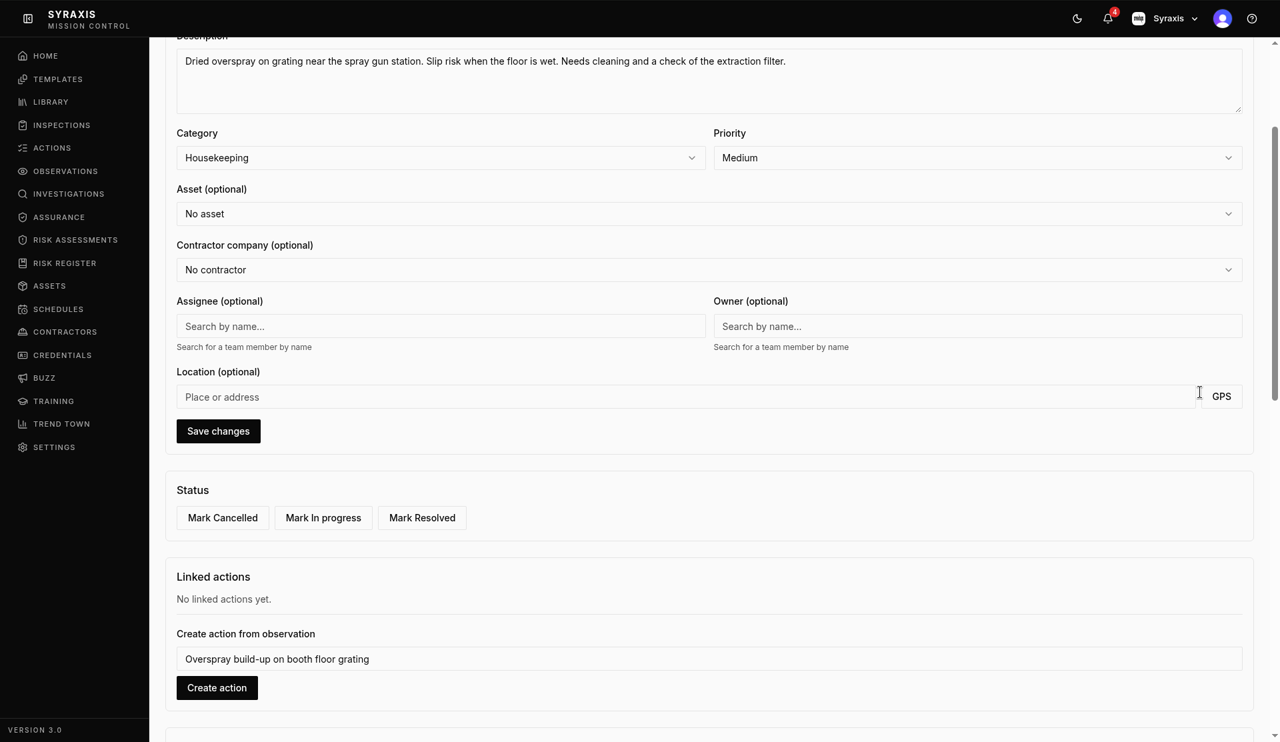
Select Mark Resolved once it has been dealt with.
 6
6
What's next
- Raise and close an action Assign a fix, track it and close it with a note of what was done.
Was this helpful?Thanks for telling us.
Still stuck?
Send us a message and tell us what you were trying to do. A screenshot helps.
Contact usUpdated 13 Oct 2026